Translate a PDF into English — or another language
Translate a PDF when a lease, a syllabus or an insurance letter arrives in a language you don't read. Add the file, choose the target under “Translate into” and the AI writes the translation into the same blocks. Only the text goes to the AI service.
- Text translated in place
- Layout and pictures kept
- Try a few requests without signing up
- Up to 100 MB and 1,000 pages
- Works with
- .jpg
- .png
- .docx
- .xlsx
How to translate a PDF
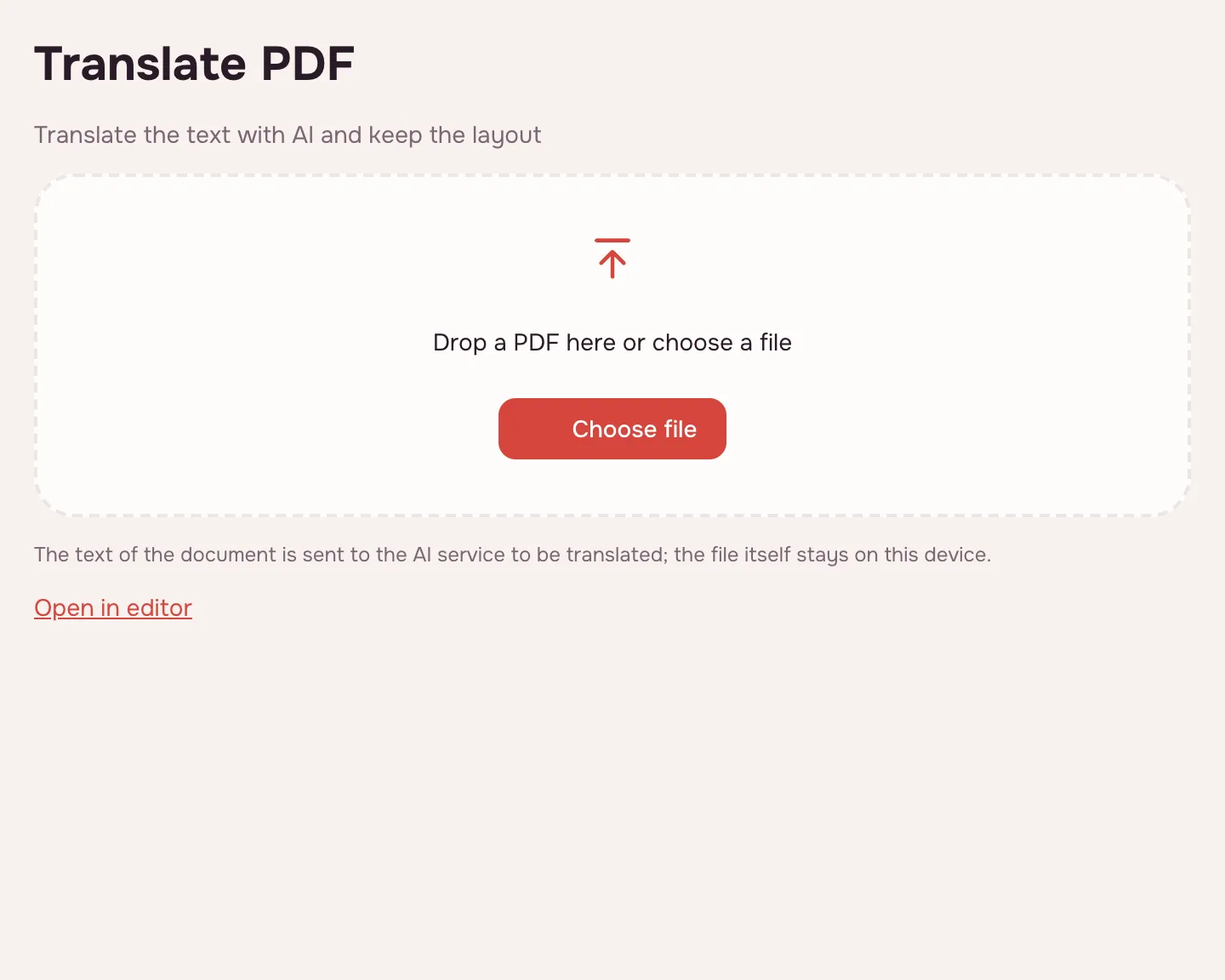
Choose your file
Click “Choose file” or drop the PDF onto the page. A note explains that only the document's text goes to the AI service; the file stays on your device.
Pick the target language
Under “Translate into”, choose the language you want; English is selected by default. The AI detects the source language itself.
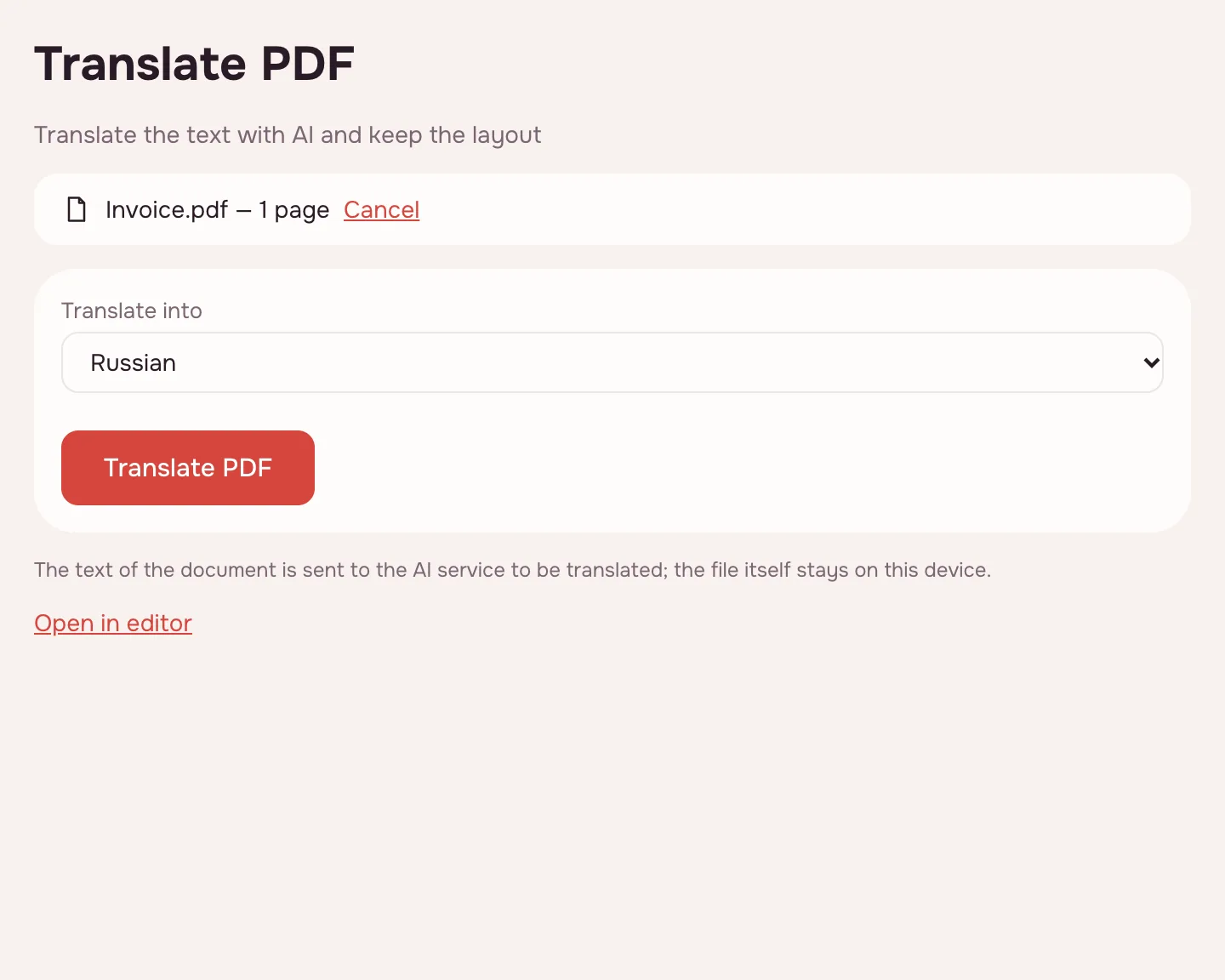
Click “Translate PDF”
The tool works through the pages and shows “Page N of M”. A long job can be cancelled; a big document means many AI requests.
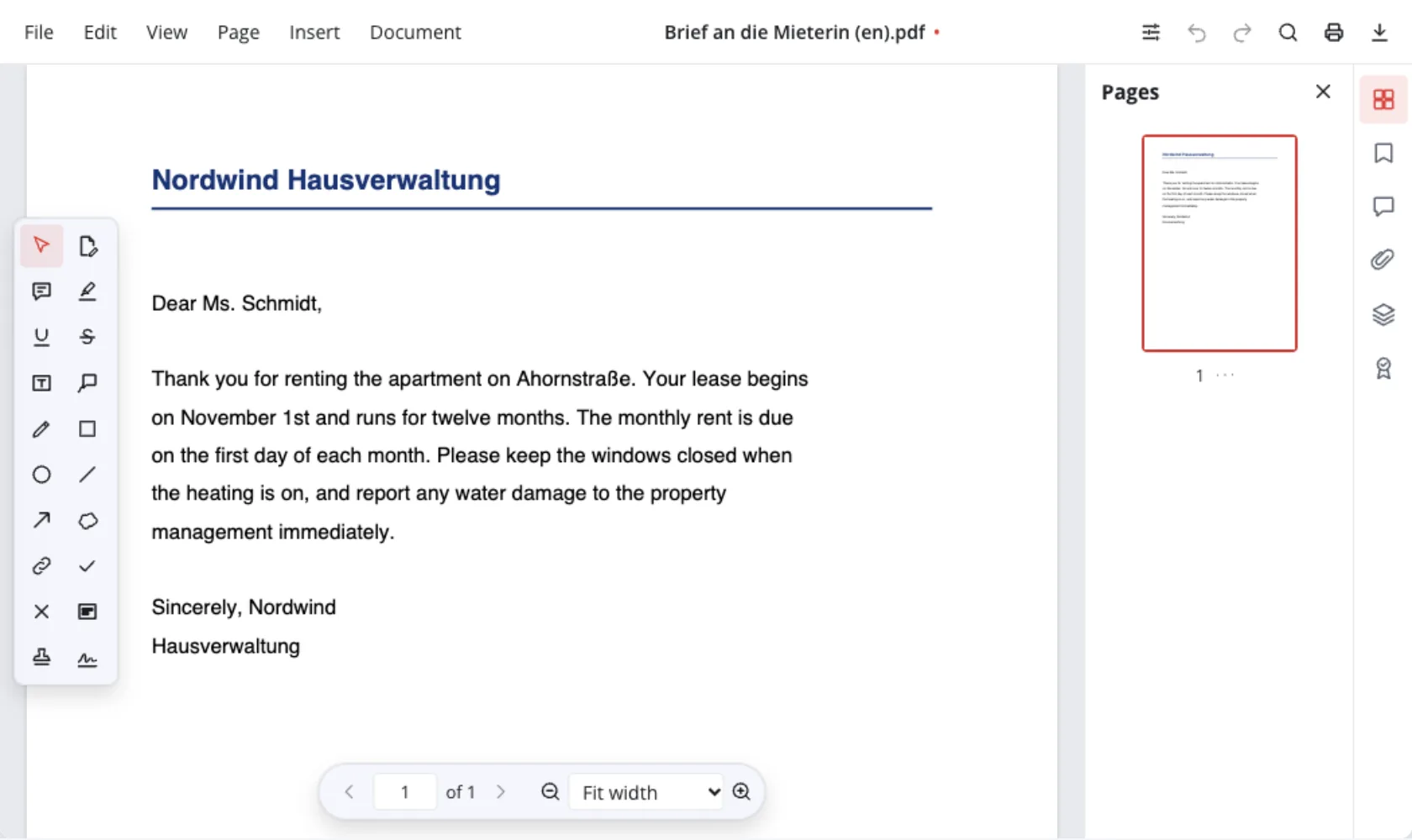
Check the draft and download
The result screen reports the translated blocks and those that stayed as they were. Then choose “Download”, “Save to cloud” or “Open in editor”.
How translating a PDF works
The tool splits each page into text blocks — paragraphs, headings, table cells — and sends them to an AI service. The translation returns in place, and the original font is kept when it has the letters.
A longer translation shrinks the font, down to 60%. Pictures, links, comments and form fields stay.
- Pages go one after another, with “Page N of M” on screen.
- A long job can be cancelled.
- Document → “Translate with AI…” in the editor does the same, with one undo step.
Scans, tables and layout
For a scan, the text is recognised on your device first: each line is covered with the background colour and the translation drawn on top. When the AI service reads pictures, it also sees the page image and corrects recognition mistakes.
This is machine translation, not a certified one: check names, amounts and legal wording, and fix a phrase in the PDF editor. For a searchable scan, use OCR for PDF.
Kept
Pictures, diagrams, links, comments and form fields.
Changed
Text and font size — never below 60%.
Not translated
Vertical text, form fields, lettering drawn as outlines.
Where a translated PDF helps
- Job applications: read a contract before signing.
- College applications: work through a syllabus.
- Tax season: understand a foreign statement first.
- Visa paperwork: read the fine print.
Which languages you can translate a PDF into
The source can be any language the AI reads; the result is one of these.
| Script | Target languages | Good to know |
|---|---|---|
| Latin | English, German, French, Spanish, Italian, Portuguese, Polish, Czech, Dutch, Swedish, Turkish, Indonesian | Contracts, manuals, articles |
| Cyrillic | Russian, Ukrainian, Belarusian, Kazakh, Bulgarian, Serbian | Study and work abroad |
| Greek, Vietnamese | Greek, Vietnamese | Less common pairs |
| Other scripts | Not yet | Chinese, Japanese, Korean, Arabic, Hebrew and Hindi: readable, not writable |
What happens to your file
Here the rule differs from the other tools: the document's text goes to the AI service, because translation needs it. The file stays on your device, and the screen says so before you start. For passport details or medical records, decide whether the text may leave your device.
Limits and quality
A file can be up to 100 MB and 1,000 pages, and a long document takes many AI requests. A password-protected PDF asks for the password.
- Vertical text, form fields and text drawn as outlines stay as they are.
- Machine translation is a draft: check names, figures and legal terms.
What it costs
A guest can try a few requests, as the server allows. After that, translation runs through the AI account connected to Zotu: you connect it or top it up when asked. No watermark is added.
FAQ
Support: [email protected]
How do I translate a PDF to English?
Click “Choose file” and add the PDF. Keep English and click “Translate PDF”: the AI detects the source language and writes the translation into the same blocks. Download it or open it in the editor.
Can you translate a PDF without losing the layout?
Yes. The tool translates paragraphs, headings and table cells inside their existing blocks, so position, colour and bold or italic text stay. Images and form fields are untouched, and a longer translation shrinks the font to 60%.
How do I translate a PDF from German to English?
Add the file, choose English and click “Translate PDF”. You don't select German as the source: the AI detects it. German compounds can vary, so compare key names and figures with the original before sharing the file.
How do I translate a PDF from Chinese to English?
Add the file and choose English as the target; the AI reads a Chinese source. Chinese, Japanese, Korean and other non-Latin scripts are not offered as results yet. Check names and terms, because they can come out rough.
Which languages can I translate a PDF into?
The table above lists every target, from Russian, Ukrainian and Kazakh to German, French, Spanish, Polish, Turkish, Greek and Vietnamese. Chinese, Japanese, Korean, Arabic, Hebrew and Hindi can be read as a source but are not offered as result languages yet.
Does the file get uploaded?
No — the file stays on your device. Only the document's text goes to the AI service, block by block, because that is what gets translated. A copy reaches Zotu cloud only if you click “Save to cloud” after signing in.
How much does it cost?
A guest can try a few requests, as the server allows. After that, translation is paid through the AI account connected to Zotu: you connect it or top it up when asked. Nothing is added to your pages — no watermark.
Can I translate a PDF on my iPhone?
Yes, in the browser on iPhone or Android — there is no app to install. Tap “Choose file”, pick the PDF and choose the target language. A long document takes longer, and the progress shows the current page.
More PDF tools
PDF Editor
Change text and pictures on the page, add a signature, comments and fill in forms.
Sign PDF
Add a signature to a PDF: draw it, type it or upload a picture.
Fill PDF
Type into the fields of a PDF form and download the completed document.
Watermark PDF
Add your own text across PDF pages and download the finished file.
PDF Page Numbers
Number PDF pages in the position you choose and download the finished file.
Flatten PDF
Turn form fields and comments into part of the page so they can no longer be edited.
OCR PDF
Add an invisible text layer to a scanned PDF so search, selection and copying work.
PDF to Word
Turn a PDF into an editable DOCX with headings, lists, tables and images.
Translate a PDF into English — or another language
Translate a PDF's text into another language while the layout, tables and pictures stay put.
Open editor