Sign PDF: add a signature to your document
Sign PDF online free when a lease, an offer letter or a consent form arrives by e-mail and there is no printer nearby. Draw your signature with a mouse, pen or finger, type it in a handwriting font or upload a picture, then place it on the line and download the file — it never leaves your device.
- Files stay on your device
- No sign-up
- No watermark
- Up to 100 MB
- Works with
- .jpg
- .png
- .docx
- .xlsx
How to sign a PDF
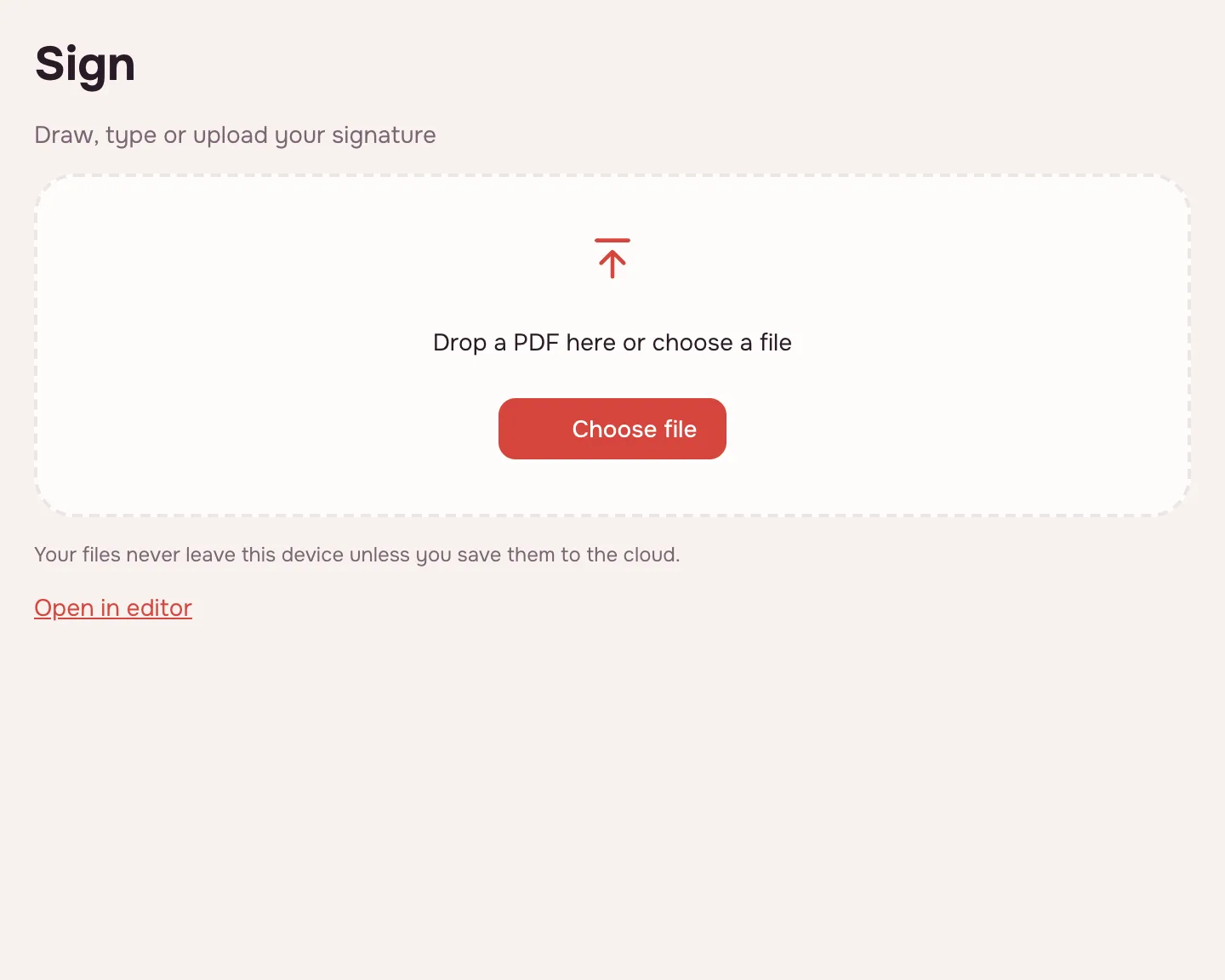
Choose your file and click “Sign”
Click “Choose file” or drop the PDF onto the page, then click “Sign”. The document opens in the editor and the “Your signature” window appears right away.
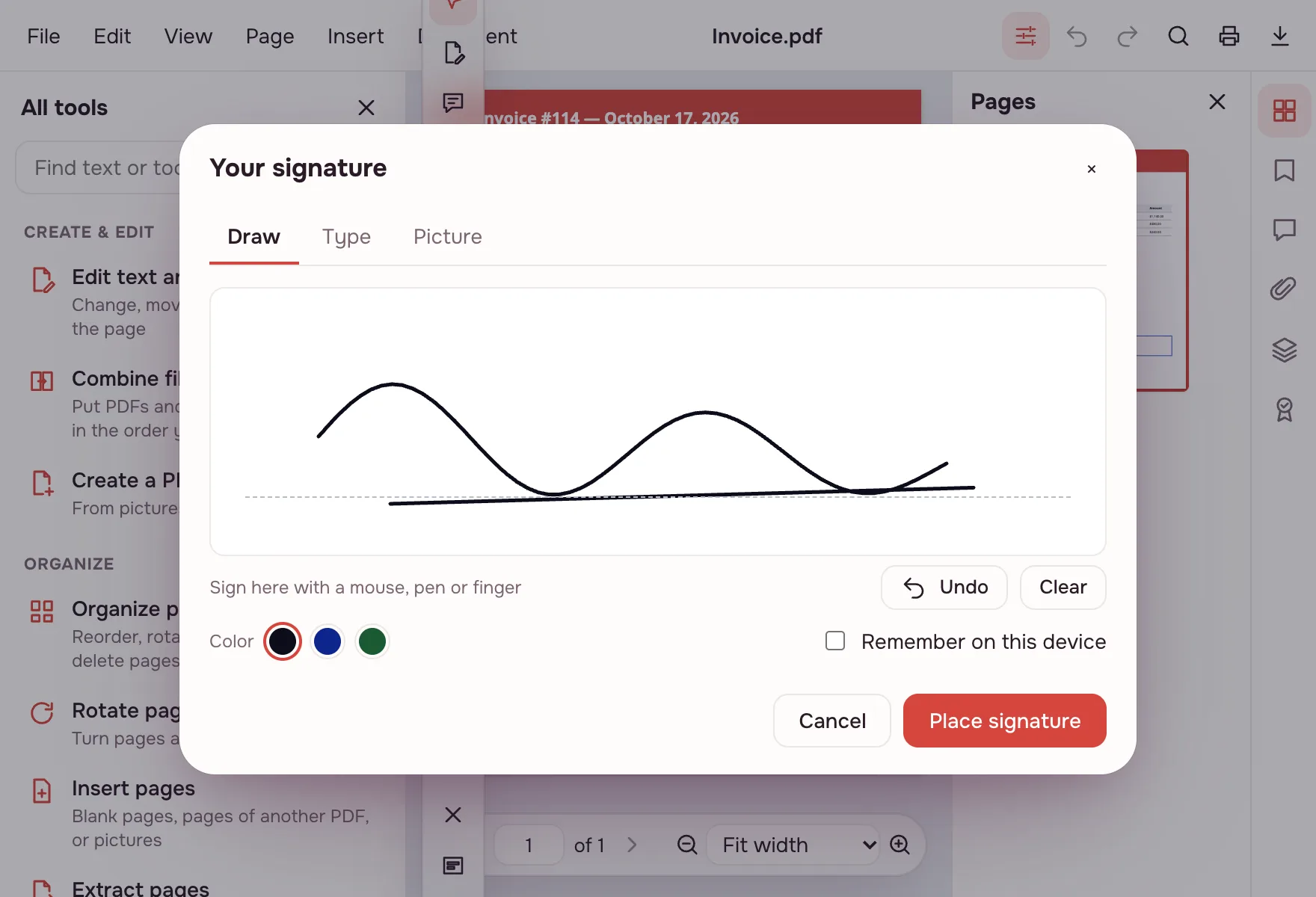
Create your signature
On “Draw”, sign with a mouse, pen or finger. On “Type”, enter your name and it appears in a handwriting font. On “Picture”, upload a PNG or JPEG of your signature. Pick black, dark blue or green ink.
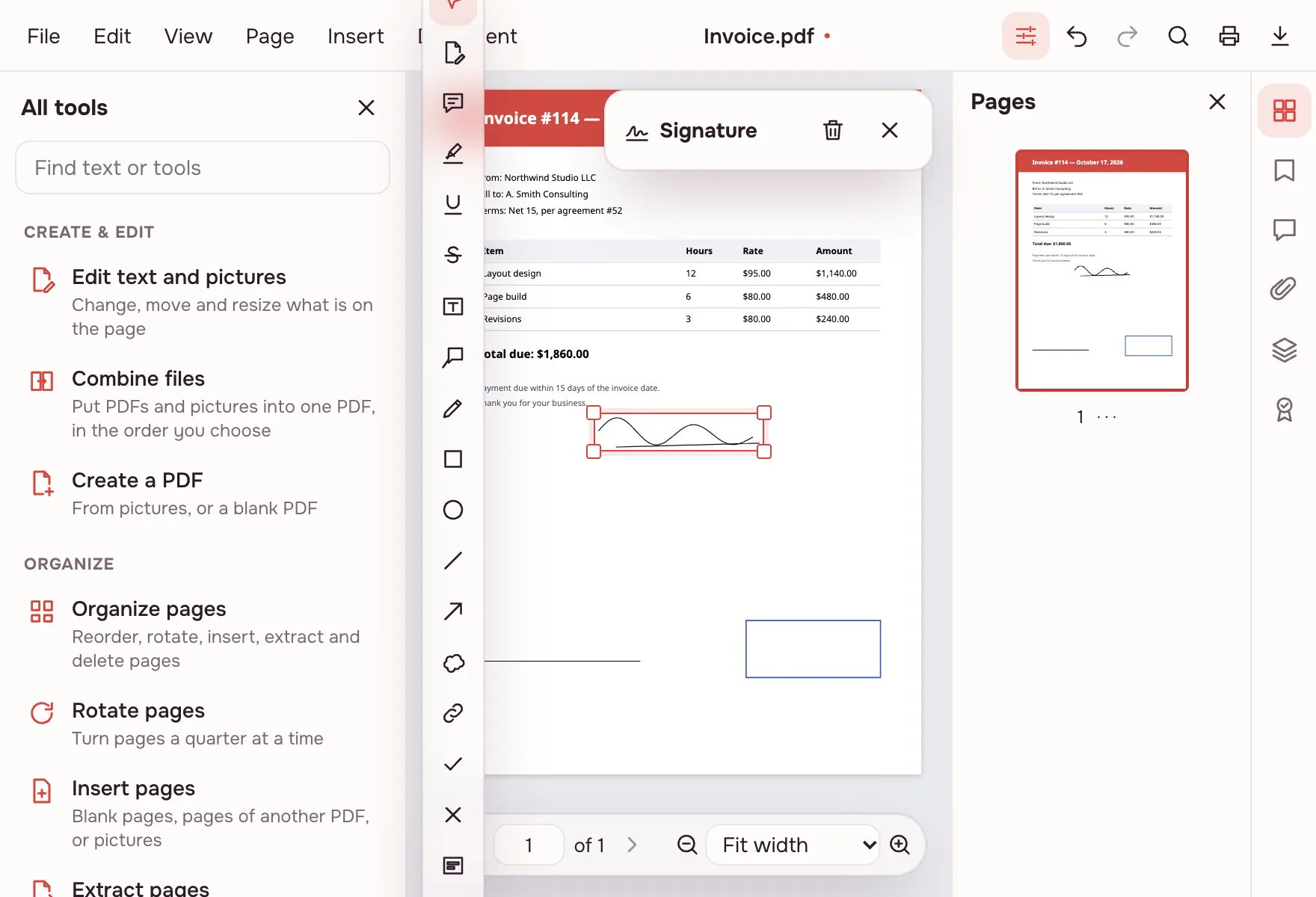
Click “Place signature”
Drag the signature into position and pull a corner to resize it. It is saved in the PDF as an annotation, shows in any PDF viewer, and can still be moved later.
Download the document
Click “Download” on the result screen. You can also save the signed file to the cloud after signing in or keep working in the editor.
What the tool does
A signature can be drawn with a mouse, pen or finger, typed in a handwriting font or uploaded as a PNG or JPEG picture. Three ink colours are available: black, dark blue and green. The signature is placed in the PDF editor, dragged into position and resized by a corner.
- “Remember on this device” keeps up to four signatures in this browser only; “Forget” removes one.
- Signature pictures are not remembered.
- The signature is saved in the file as an annotation and is visible in any PDF viewer.
- One signature can be placed on several pages of the same document.
Sign PDF with a certificate
Beyond a drawn signature, the editor can sign a document with a certificate: Document → “Sign with a certificate…”. Use a .pfx or .p12 file with an RSA or ECDSA key, or create a new self-signed ID in the editor — others see your name, but no third party vouches for it. The signature can appear in a field, as a new box or invisibly, with a reason, place and contact.
- Signing appends to the file, so earlier signatures stay valid and later field filling is allowed.
- The “Signatures” panel checks whether the document is intact and shows the signer, time and certificate.
- GOST signatures, smart cards and USB tokens are not supported.
When you need it
- Job applications: sign an offer letter or a background-check consent and send it back the same day.
- College applications: sign a housing form or a financial-aid document without a printer.
- Tax season: sign an engagement letter from your accountant.
- E-filing: sign a consent or authorization form before uploading it to a portal.
- Leases and rentals: tenant and landlord add their signatures to the same file in turn.
Ways to sign a PDF
There are four ways here: draw, type, upload a picture or sign with a certificate. The first three put a visible signature on the page; a certificate writes a cryptographic signature into the file, so any later change becomes visible.
| Method | How it is made | Good for |
|---|---|---|
| Draw | Mouse, pen or finger | Leases, consent forms, internal paperwork |
| Type | Your name in a handwriting font | Quick approvals and initials |
| Picture | PNG or JPEG of your signature | When you already have an image |
| Certificate | .pfx/.p12 file or a new self-signed ID | Documents where integrity matters |
ESign PDF free, no account
You can eSign a PDF free and without an account: open the page, add the file, create the signature and download it. There is no trial, no paid tier and no watermark. An account is needed only for cloud storage, so you can keep the signed file and open it on another device.
Fill and sign a PDF
Fill the form fields first on the Fill PDF page, then add the signature — that way values are not typed over a finished file. A certificate signature still allows fields to be filled afterwards. If you need to lock the filled form before sending it, flatten the PDF so the values become part of the page.
Limitations
A drawn signature is a simple electronic signature. Where a qualified or regulated signature is required, use the software your certificate authority provides; GOST signatures, smart cards and USB tokens are not supported here. Signing several people by link is not available — each person signs their own copy. A password-protected PDF must have its protection removed before certificate signing, and encrypting a signed file breaks the signature. A drawn signature and a password work together: you can protect the file with a password after signing. One file: up to 100 MB and 1,000 pages.
Is it safe?
The document and the signature are handled in your browser on your own device and never uploaded. A remembered signature stays in this browser, up to four of them. The file reaches Zotu cloud only if you click “Save to cloud” after signing in; saved files are kept in the EU/US under GDPR.
On phone and desktop
The signer works in any modern browser on Windows, macOS, Android and iPhone, with nothing to install. On a phone, sign with your finger on the screen, place the signature and save the file to Files or Downloads.
FAQ
Support: [email protected]
How do I sign a PDF online?
Click “Choose file”, add the PDF and click “Sign”. In the “Your signature” window, draw your signature, type your name or upload a picture, then click “Place signature”, drag it into place and download the file. Everything runs in your browser, so the document is not uploaded.
How do I digitally sign a PDF online free?
Use “Sign with a certificate…” in the editor: choose a .pfx or .p12 file with an RSA or ECDSA key, or create a self-signed ID. The certificate is written into the file, so any later change becomes visible. It is free and runs on your device, with no sign-up required.
Why can't I sign a PDF electronically?
Some documents need a qualified or regulated signature that this tool does not provide: GOST signatures, smart cards and USB tokens are not supported. For those, use the software your certificate authority specifies. For everyday forms, leases and consents, a drawn or typed signature placed on the page usually works.
How do I add a signature to a PDF document?
Open the PDF, create a signature in the “Your signature” window and click “Place signature”. Drag it to the right line and pull a corner to resize it. It is saved as an annotation, visible in any PDF viewer, and can still be moved after you save the file.
Can I eSign a PDF for free?
Yes. Drawing, typing or uploading a signature and placing it on the page costs nothing, needs no account and adds no watermark. The only limits are on the file: up to 100 MB and 1,000 pages. An account is needed only for optional cloud storage.
How do I sign a PDF on iPhone?
Open this page in your iPhone browser, choose the PDF and tap “Sign”. Draw your signature with a finger, tap “Place signature”, drag it into place and save the result. There is no app to install, and the file stays on your phone.
Can I sign with a digital certificate?
Yes, in the editor: Document → “Sign with a certificate…”. Use a .pfx or .p12 file with an RSA or ECDSA key, or create a self-signed ID. The signature can be visible in a field, shown as a new box or hidden, and the “Signatures” panel checks the result later.
Is it free? Is there a watermark?
It is free, with no sign-up and no watermark. Nothing is stamped on your pages — only your signature is added. The limits are on the file itself: up to 100 MB and 1,000 pages, with no cap on the number of documents.
Is it safe to upload documents?
Nothing is uploaded: the signature is added in your browser on your own device. Leases, offer letters and tax documents stay with you. The signed file reaches cloud storage only if you click “Save to cloud”, and saved files are kept in the EU/US under GDPR.
More PDF tools
PDF Editor
Change text and pictures on the page, add a signature, comments and fill in forms.
Fill PDF form
Fill in PDF form fields in your browser — text, check boxes, lists — and download the result.
Flatten PDF
Turn form fields and comments into part of the page so they can't be changed.
Protect PDF
Encrypt a PDF with a password to open and restrict printing or editing.
Add a watermark to PDF
Put a text or image watermark on PDF pages: opacity, angle, position.
Add page numbers to PDF
Number PDF pages: position, “Page 1 of 10” format, skip the first page.
Unlock PDF
Remove the password and restrictions from a PDF when you know it.
Redact PDF
Black out and remove personal data from a PDF: phone numbers, SSNs, emails, card numbers.
Sign PDF: add a signature to your document
Add a signature to a PDF: draw it, type it or upload a picture.
Open editor