Convert PDF to PPT and get an editable presentation
Convert PDF to PPT when a deck arrives as a flat file and the slides still need changes. Add the document, choose the pages if you only need some, and click “PDF to presentation”: you get a PPTX with one slide per page and editable text.
- Files stay on your device
- No sign-up
- No watermark
- Up to 100 MB
- Works with
- .jpg
- .png
- .docx
- .xlsx
How to convert PDF to PPT
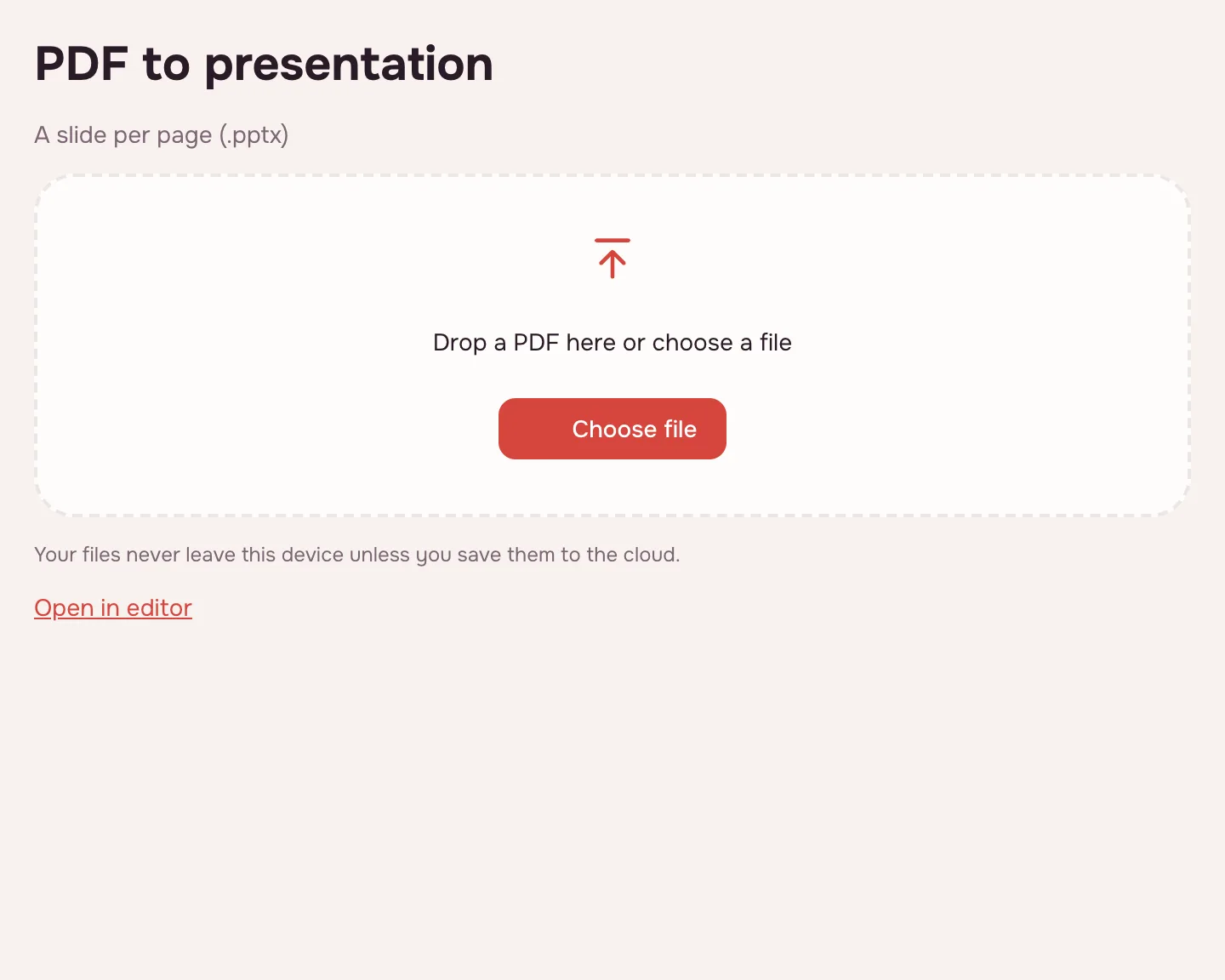
Choose your file
Click “Choose file” or drop the PDF onto the box — it opens in your browser.
Pick the pages
Leave the page field empty to convert the whole document, or enter the pages you need.
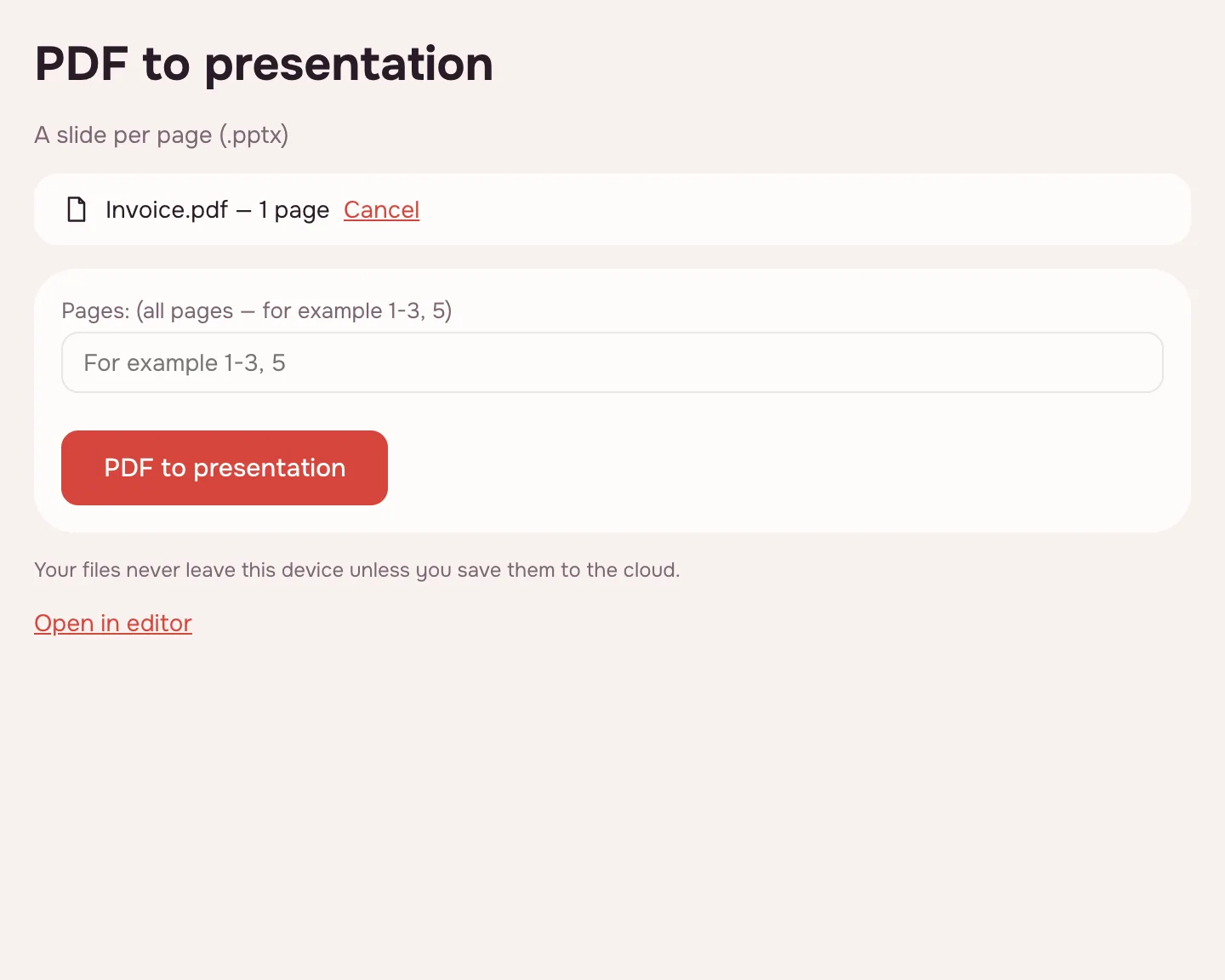
Click “PDF to presentation”
The tool builds a PPTX with one slide per PDF page. Text becomes text boxes, pictures become images, and ruled tables become tables, including merged cells. You can follow the progress and cancel a long run.
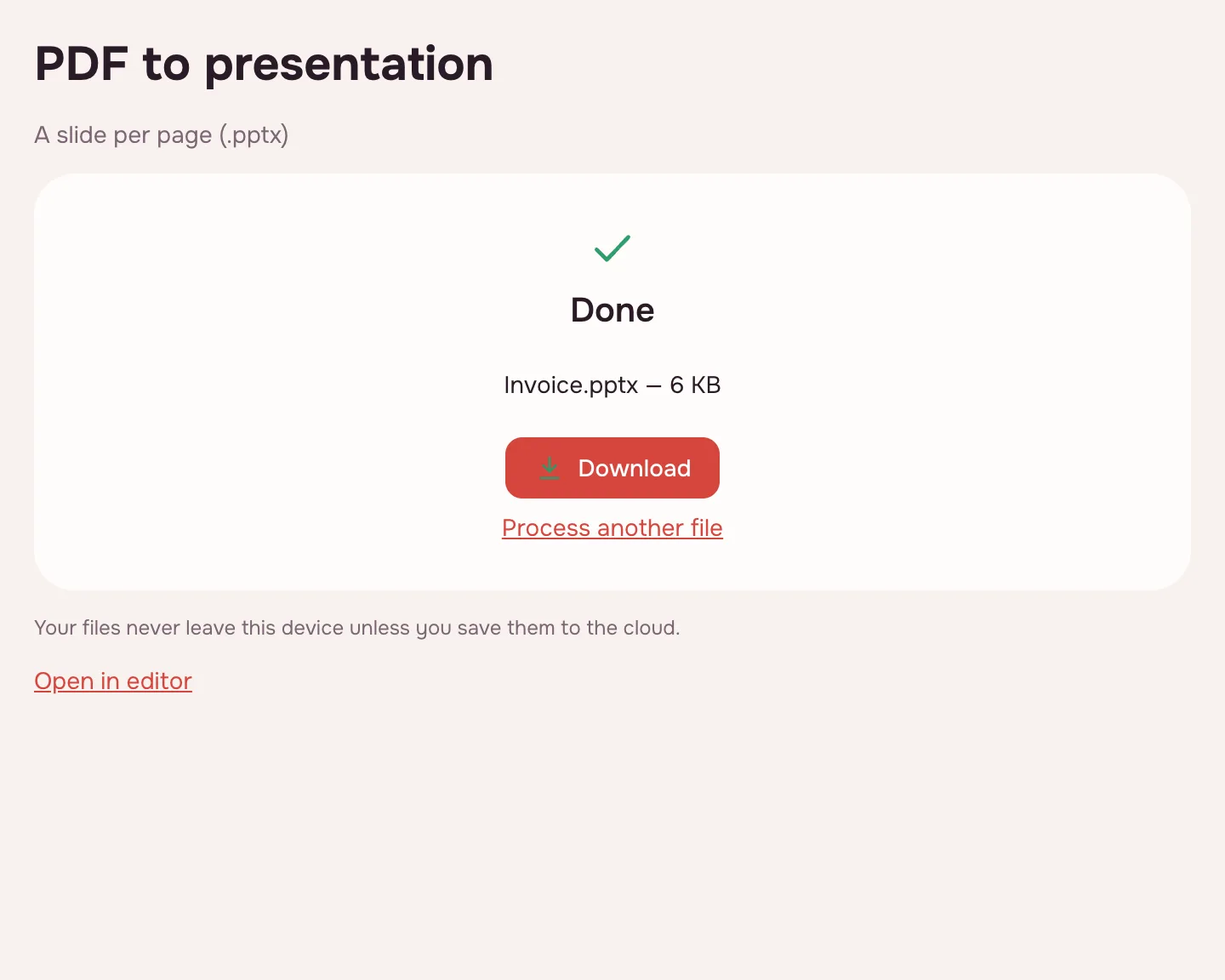
Download the PPTX
Click “Download” on the result screen and open the file in a presentation app. The source PDF stays unchanged.
What the tool does
- One slide per PDF page.
- Text stays text: edit and search it in the presentation.
- Pictures are placed as images where they sit on the page.
- Ruled tables become tables, merged cells included.
- The slide size comes from the first page; other pages are fitted and centred.
- “Page background” in the editor's export puts a page picture under the slide content.
PDF to PPTX online: what you get
You get a PPTX file that most office suites open. Because text stays text and pictures are separate objects, you can restyle a slide rather than rebuild it.
Only need the text? PDF to Word makes a DOCX; for numbers in tables, PDF to Excel gives you an XLSX.
When you need it
- Work: rework a deck a client sent only as a PDF.
- Pitching: pull an old PDF deck into an editable presentation for updates.
- College: reuse diagrams and slides from a PDF handout in a class presentation.
How to add a PDF to a presentation
To put PDF content into an existing deck, convert the PDF and copy the slides you need into your presentation. The result stays editable, unlike a pasted screenshot.
Keep the source PDF open to compare the layout.
Limitations
Complex layouts are reproduced closely; check unusual overlaps and custom shapes on the slides. A scanned PDF has no text layer, so it needs OCR before conversion — otherwise the slides hold page images only.
One file can be up to 100 MB and 1,000 pages; password-protected PDFs open after you enter the password, and the result is saved without it.
Is it safe to convert PDFs online?
The conversion runs in your browser and the file is never uploaded, so contracts, reports and course materials stay with you. The PPTX downloads straight to your device.
On phone and desktop
The converter runs in any up-to-date browser on Windows, macOS, Android and iPhone. On a phone, pick the PDF from Files or Downloads and open the PPTX in a presentation app.
FAQ
Support: [email protected]
How to PDF to PPTX?
Choose the PDF, pick the pages and click “PDF to presentation”. Every page becomes a slide in a PPTX file, with editable text boxes and pictures in place. Then click “Download”.
How to PDF to PPT?
Add the file and run the conversion: one PDF page becomes one PPT slide. The slide size follows the first page; the rest are fitted and centred. Open the downloaded PPTX and edit the text.
Can you convert PDF to a presentation?
Yes. The tool builds a PPTX from the PDF, with text, pictures and ruled tables placed on the slides. It works best for documents that already look like slides; check complex layouts. Scans need OCR first.
Can you convert PDF to PPTX?
Yes — choose the file, set the pages and click “PDF to presentation”. You get a real PPTX, not a set of images: the text can be edited, the pictures are separate objects and tables with lines come over as tables. The source PDF is left unchanged.
How to add PDF to PPT?
Convert the PDF first, then copy the slides you need into your existing presentation. That keeps the content editable, unlike a screenshot. The converter makes a new PPTX with one slide per page.
How to convert a PDF presentation back to PPTX?
If a presentation was saved only as a PDF, run it through this converter: each page returns as a slide with editable text and separate pictures. Simple slides come back closest; check overlaps. A scanned deck needs OCR first.
Is it free? Is there a watermark?
It is free, with no sign-up and no watermark. Nothing is added to the slides — no logo, no stamp and no extra slide. Limits: up to 100 MB and 1,000 pages.
Is it safe to upload documents?
Nothing is uploaded: the conversion runs in your browser on your own device. Contracts, reports and personal documents never reach a server. The PPTX downloads straight to your device, and no copy is kept anywhere else.
More PDF tools
JPG to PDF
Combine JPG and PNG pictures into one PDF, in the order you choose.
PDF to JPG
Save PDF pages as JPG or PNG images at the resolution you need.
PDF to Word
Turn a PDF into an editable DOCX with headings, lists, tables and images.
PDF to Excel
Turn tables from a PDF into an XLSX workbook with numbers, amounts and dates as values.
PDF to text
Get the text out of a PDF as TXT, HTML or RTF in the right reading order.
OCR PDF
Add an invisible text layer to a scanned PDF so search, selection and copying work.
PDF to PDF/A
Check a document and save it as PDF/A-1b or PDF/A-2b for long-term archiving.
PDF Editor
Change text and pictures on the page, add a signature, comments and fill in forms.
Convert PDF to PPT and get an editable presentation
Turn PDF pages into PPTX slides with editable text, pictures and tables.
Open editor