Adobe Acrobat online alternative: a full PDF editor in your browser
Searching for Adobe Acrobat online usually means you need to edit a PDF in the browser, without installing desktop software. Zotu is an independent alternative to Adobe Acrobat: open a document, change text and images right on the page, reorder pages, fill in forms and add a signature. Your file is processed on your device and is never uploaded.
- Files stay on your device
- No sign-up
- No watermark
- Up to 100 MB
- Works with
- .jpg
- .png
- .docx
- .xlsx
How to edit a PDF without Adobe Acrobat
Click “Choose files”
Open the editor on this page and pick a PDF from your device or your Zotu cloud. The document opens in the browser, so there is no upload to wait for.
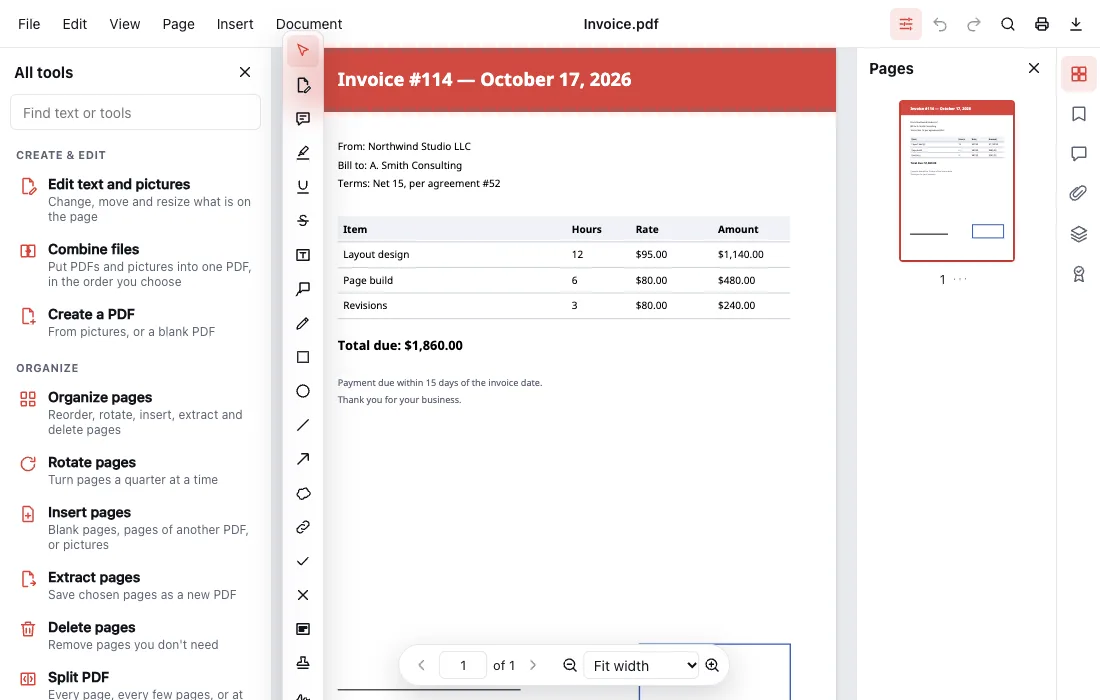
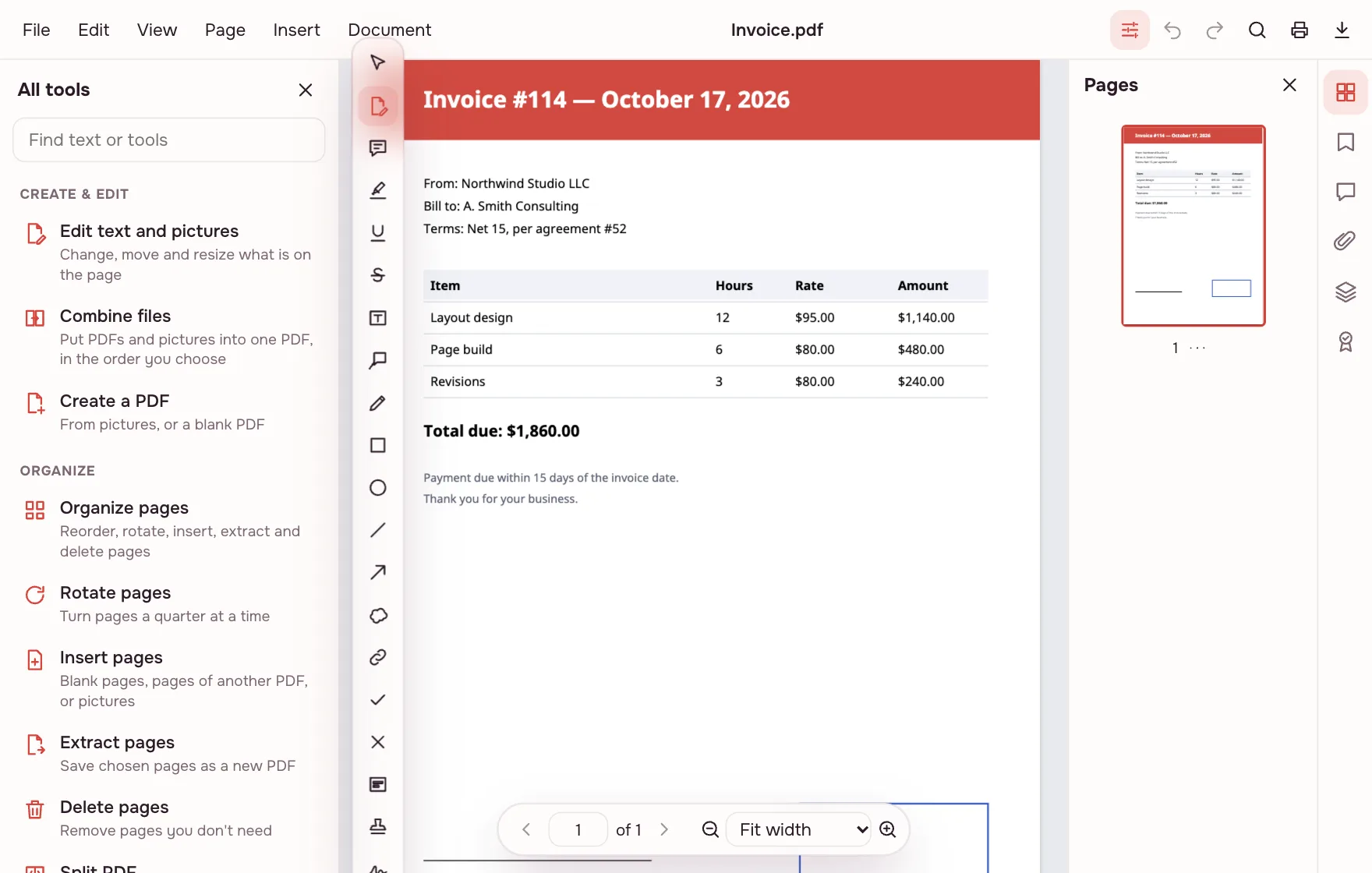
Turn on “Edit text and pictures”
Click a paragraph and change it in place: wording, font size, colour, bold and italic, with the lines rewrapping as you type. Pictures can be replaced or moved.
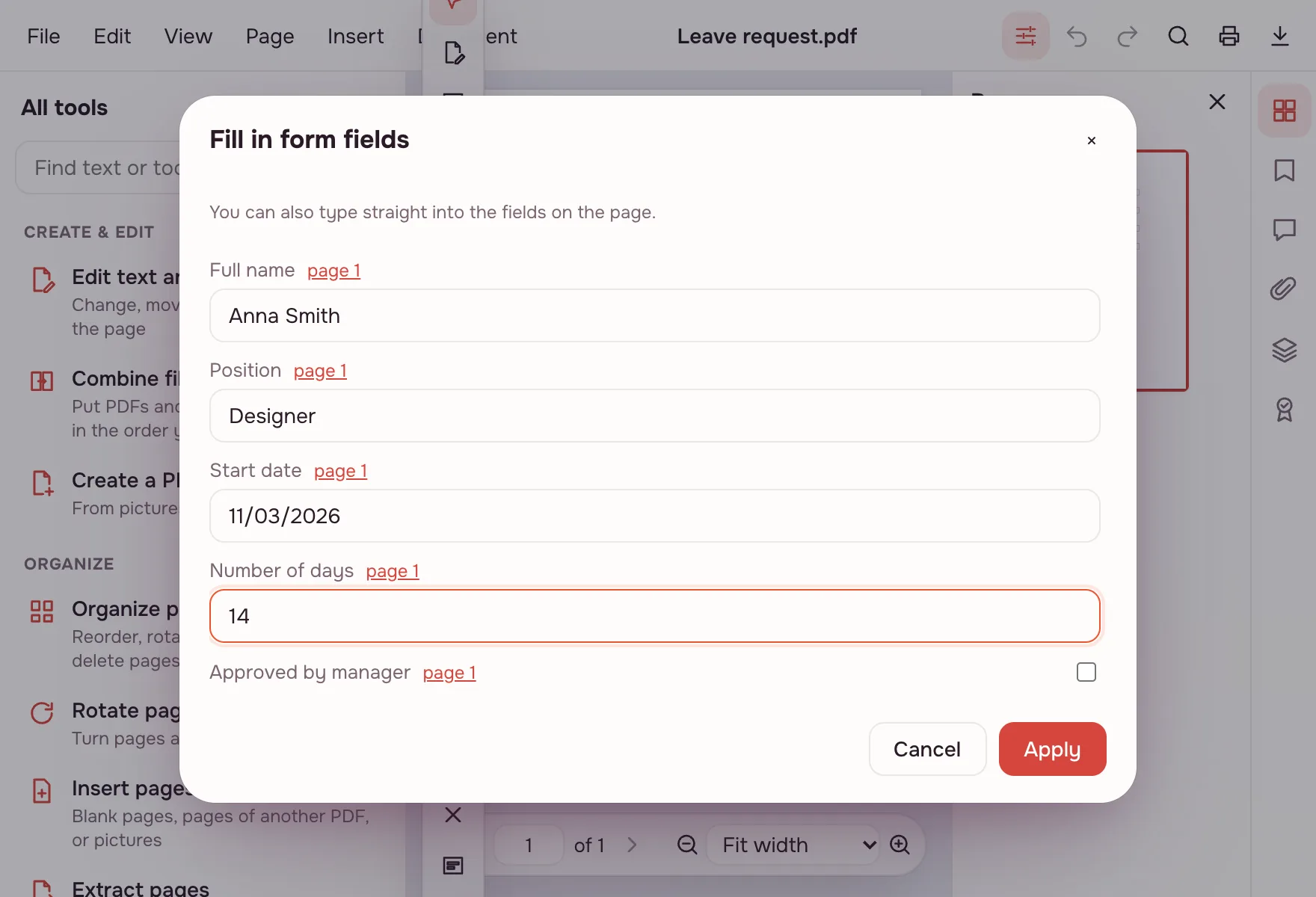
Fill in a form or sign
Choose “Fill in form” and type your details in the “Fill in form fields” window or straight into the fields on the page. Sign by drawing, typing or adding a picture, or use a certificate (.pfx or .p12) for a digital signature.
Download or save
Choose File → “Download PDF”, or “Save” to keep it in your Zotu cloud. The original on your device stays as it was until you overwrite it yourself.
An Adobe Acrobat online alternative — what it does
“Adobe Acrobat online” is a search for a browser-based PDF editor. Zotu is an independent alternative to Adobe Acrobat, not an Adobe product: it opens ordinary PDFs and puts the everyday editing jobs in one window — text and images, pages, comments, forms, signatures, protection and conversion.
The menu is split into “File”, “Document” and “Page”, so commands sit where you would look for them. Everything runs in the browser: there is nothing to install and no account to create before you open a file.
| Area | What you can do |
|---|---|
| View | Zoom, thumbnails, search, bookmarks, two pages side by side, dark pages, reading mode and read aloud |
| Pages | Rotate, delete, reorder, insert, extract, merge, split, crop, page numbers, headers and footers, watermarks, Bates numbering |
| Text and images | Edit paragraphs in place, change font size, colour, bold and italic; replace pictures and add new text |
| Forms and signatures | Fill fields, prepare a form with 8 field types, sign by hand, typing or picture, add and verify a certificate signature |
| Document | AES-256 password and permissions, redaction, hidden information, PDF/A, version comparison, accessibility check |
More than editing: convert, OCR and compress
The editor also covers jobs that usually send people looking for separate tools: run OCR on a scan, convert a PDF to DOCX, or compress a heavy file. Each has its own page as well if you prefer a one-click route.
- Export to DOCX, XLSX or PPTX; save pages as JPG or PNG; export text as HTML or RTF — and pictures to PDF.
- Run OCR on the device, in English in this edition, so a scan becomes searchable and copyable.
- Compress a large document or save it as PDF/A for archiving.
- Comment with notes, highlights, underlines, strikethrough, shapes, stamps, freehand drawing and replies; export the comments as XFDF.
- Translate text with AI — a paid option; only the document's text goes to the AI service.
Does it open PDFs created in Acrobat?
Yes. A file saved in Adobe Acrobat opens here without conversion, because PDF is an open ISO format, and the result opens back in Acrobat or any other viewer. There are no special “Acrobat files” to import.
Adobe's cloud services are not part of this editor, and Zotu is not affiliated with Adobe.
Everyday jobs: applications, college, taxes and visa forms
A signature on its own is quicker on the Sign PDF page; everything else is done here, in the editor.
- Job applications: merge a résumé, cover letter and portfolio into one PDF, then shrink it under an upload limit.
- College: assemble an application packet with transcripts and certificates, add page numbers and save a copy as PDF/A.
- Tax season: fill in the fields of a form you downloaded with your own details, add your signature and keep a copy for your records.
- Visa and immigration forms: complete the fields, sign and keep the pages in the right order before uploading.
- Contracts: sign an offer or a lease, leave comments for the other side and protect the final file with a password.
Limits and what isn't here
There is nothing to install, and that is also the boundary: the editor runs in a browser only. Adobe's cloud services are not reproduced here, there is no real-time co-editing, and signatures do not carry RFC 3161 timestamps yet.
One document can be up to 100 MB and 1,000 pages. A password-protected file opens with the password you know and is saved with the same protection. AI translation is paid and sends the text to the AI service.
Is it safe to edit a PDF online?
Your file is opened and processed in the browser on your own device, not uploaded to a server, so tax forms, IDs and contracts stay with you. It reaches Zotu cloud only if you click “Save to cloud” after signing in; saved documents are kept in the EU/US under GDPR.
If a document carries details you do not want to share, redact them or remove hidden information before sending the file on.
Mac, Windows, iPhone or Android
The editor opens in any current browser, with no install and no admin rights. On a phone, filling a form and signing with a finger work well; paragraph-level edits are easier on a laptop or tablet. Pick a file from Downloads, Photos or a cloud drive, and save the result back there.
FAQ
Support: [email protected]
Is Adobe Acrobat online free?
It depends on Adobe's plan — this page is an independent alternative, and the editor here is free: no subscription, no trial, no watermark and no sign-up (only AI translation is paid). The only limits are on the document itself: up to 100 MB and 1,000 pages.
Do I have to buy a PDF editor to do this?
No. The editor on this page is free, with no trial period; only AI translation is paid, through the AI account you connect. You can open a PDF, change text and pictures, work with pages, fill in forms, sign and download the result without paying. An account is needed only if you choose to save a file to the cloud.
Is there a free alternative to Adobe Acrobat?
Yes — this editor is an independent alternative to Adobe Acrobat and runs entirely in the browser. It handles the everyday jobs: editing text and images, pages, comments, forms, signatures, protection and conversion. It is not an Adobe product and is not affiliated with Adobe.
How do I use it?
Click “Choose files”, pick a PDF from your device or the cloud and the document opens in the editor. Choose “Edit text and pictures”, “Fill in form” or the page tools, make your changes, then choose File → “Download PDF”. The original file on your device is left unchanged.
Is an online PDF editor secure?
Here the file is opened and processed in your browser on your own device, so it is not uploaded to a server. Tax forms, IDs and contracts stay with you. A copy reaches the cloud only if you click “Save to cloud” after signing in, and saved files are kept in the EU/US under GDPR.
Can I open a PDF made in Acrobat here?
Yes. PDF is an open ISO format, so a document saved in Adobe Acrobat opens without any conversion. After you edit it, the file opens back in Acrobat or in another viewer. There is no special import step and no “Acrobat format” to worry about.
How do I split a PDF?
Open the document in the editor and use the page tools to split it at the page you choose. For a one-off job, the Split PDF page saves every page as its own file or cuts the document every N pages, all in one ZIP. Both routes run in your browser.
What are the limits?
One document can be up to 100 MB and 1,000 pages. A password-protected file opens with the password you know and is saved with the same protection. There is no real-time co-editing, Adobe's cloud services are not included, and signatures do not carry RFC 3161 timestamps yet.
Does it work on a phone?
Yes, in any current mobile browser on iPhone or Android. You can fill in a form and sign with a finger, then download the file. For detailed text edits a laptop or tablet is more comfortable. There is no app to install and no storage to free up first.
More PDF tools
PDF Editor
Change text and pictures on the page, add a signature, comments and fill in forms.
Sign PDF
Add a signature to a PDF: draw it, type it or upload a picture.
Fill PDF
Type into the fields of a PDF form and download the completed document.
OCR PDF
Add an invisible text layer to a scanned PDF so search, selection and copying work.
PDF to Word
Turn a PDF into an editable DOCX with headings, lists, tables and images.
Compress PDF
Make a PDF smaller for e-mail or an upload form, with three quality levels.
Protect PDF
Encrypt a PDF with a password to open and restrict printing or editing.
Merge PDF
Combine several PDFs and images into one file, in the order you choose.
Adobe Acrobat online alternative: a full PDF editor in your browser
A full PDF editor in your browser — an independent alternative to Adobe Acrobat.
Open editor