Edit PDF online free in your browser
Edit a PDF online free when a proposal needs one more correction or a form needs your details. The editor opens the document in the browser: text is changed on the page, pictures are replaced, and the layout stays as it was. The file is processed on your device and is not uploaded.
- Files stay on your device
- No sign-up
- No watermark
- Up to 100 MB
- Works with
- .jpg
- .png
- .docx
- .xlsx
How to edit a PDF online
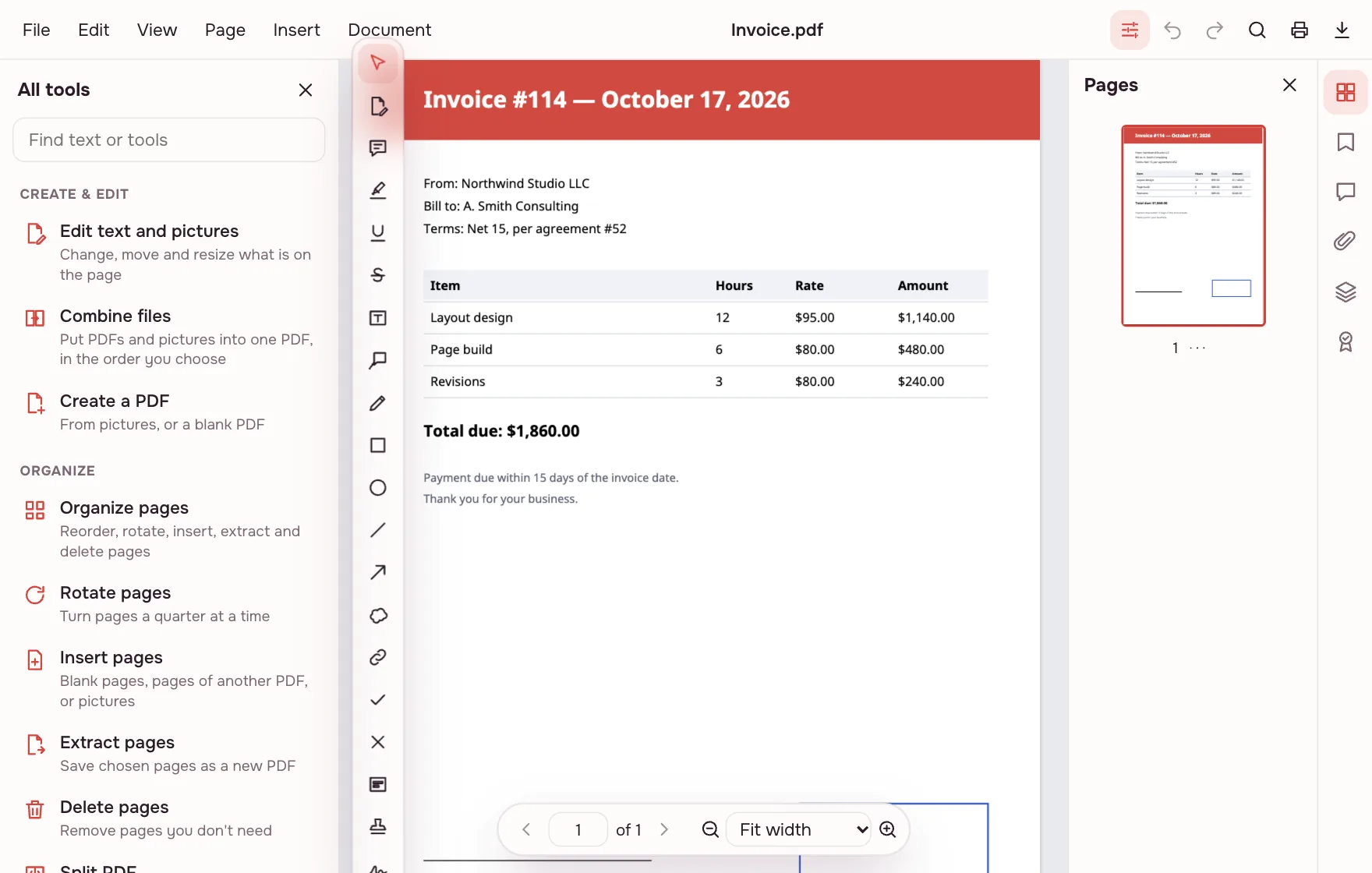
Open the document
Click “Choose files” in the editor or drop a PDF into the window. It opens on your device, with no upload to wait for.
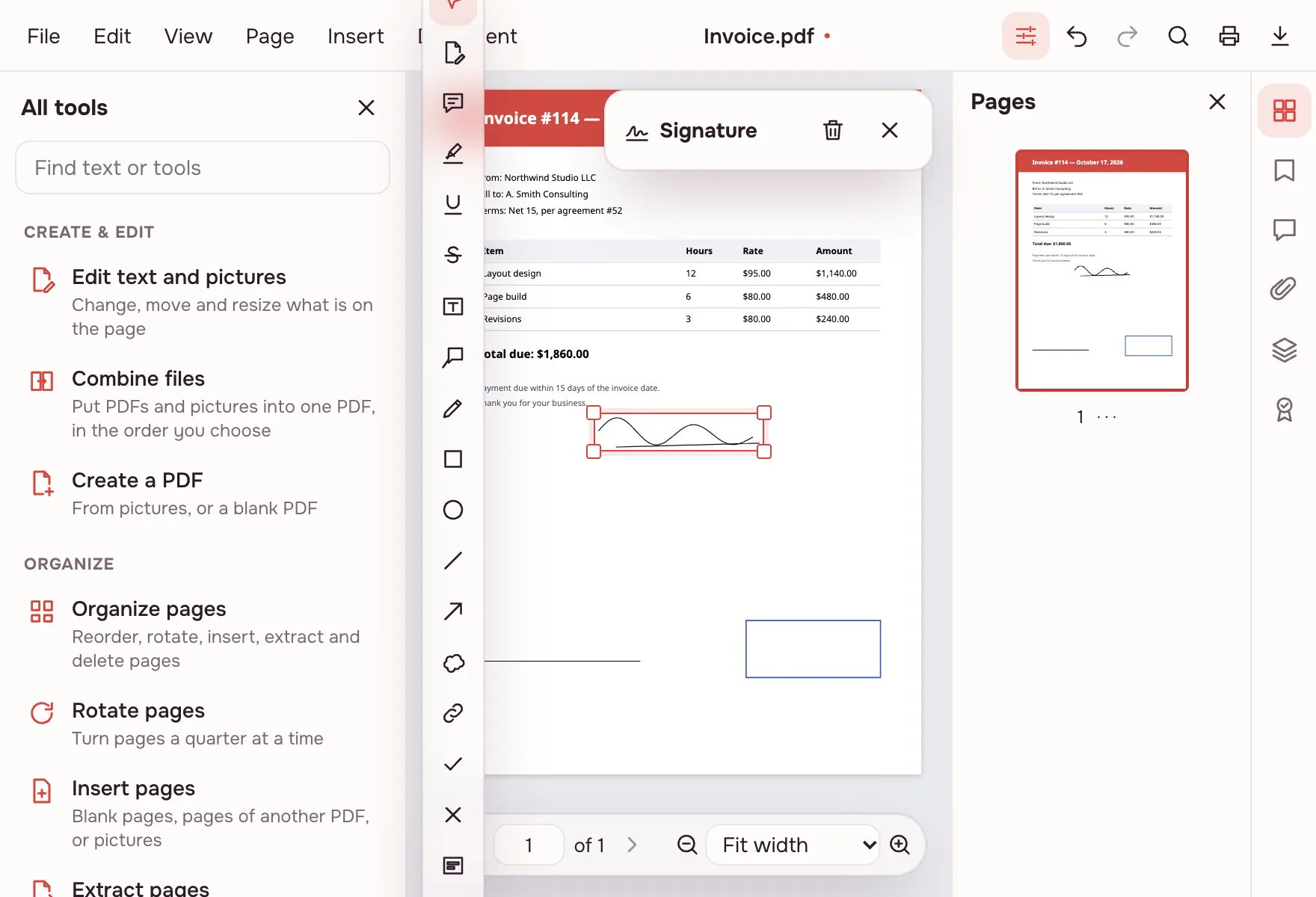
Add a signature
Choose Insert → “Signature…” or the “Sign” tool, draw a signature, type your name or upload a picture, then drag it onto the right line.
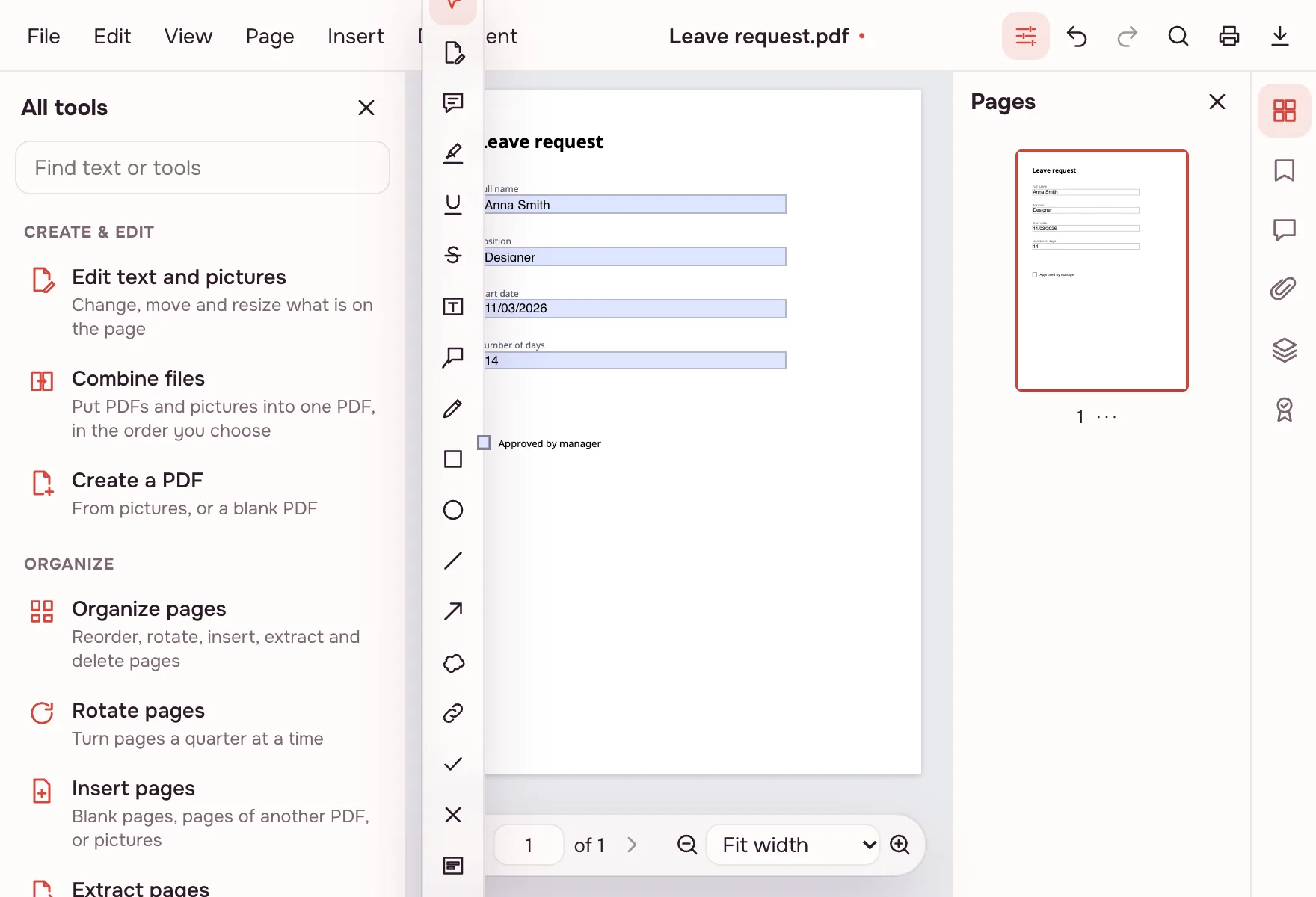
Fill in the form
Choose “Fill in form”: the fields are highlighted and accept typed values and check marks. The values are saved in the document along with the layout.
Edit text and pictures
Choose “Edit text and pictures”, click a paragraph and change it in place: words, size, colour, bold and italic. Replace, move or delete an image, and add a new caption with “Add text”.
What the PDF editor does
The editor reads a page as objects: text blocks, images and vector drawings. Pick an object and change it in place — the layout, margins and neighbouring elements stay as they were. Comments, forms, signatures, page tools and protection sit in the same window, so you do not have to move the file between services.
- Text: fix a word or a paragraph, change size, colour, bold and italic.
- PNG and JPEG pictures: replace, move, resize or delete.
- Shapes and lines: change fill, stroke colour and width.
- New content: text, an image, a shape, a link or a stamp anywhere on the page.
Editing text in a PDF
Double-click a text block to edit it on the page, without converting to DOCX and back. The new text is set in the same font when that font contains the needed glyphs; if only part of the font is embedded, the editor substitutes a similar free font, Noto Sans, so Latin and Cyrillic still display correctly. You can set the paragraph width so lines break as in the original.
When you need it
- Work: fix a typo in a proposal before it goes to a client.
- Your own documents: update a phone number or a logo on a letterhead.
- Applications: type your details into a form that arrived as a PDF.
- Review: highlight a clause, leave comments and send the file back.
PDF editor tools beyond text
| Area | What you can do |
|---|---|
| Comments | Notes, highlights, underline, strikeout, callouts, drawing, shapes, stamps |
| Pages | Reorder, rotate, delete, insert, crop margins, add page numbers and headers |
| Forms and signatures | Fill fields, create a form, sign by drawing, typing or uploading, validate signatures |
| Document | Protect with a password, redact, compare versions, save as PDF/A |
Fill a PDF free
A form that arrived as a PDF can be filled without printing it. Use the Fill in form page for a simple form, or the editor for one that also needs a signature, check marks or new text. To sign, open Sign PDF: draw with a mouse or a finger, type a name, or upload a picture. Watermarks and page numbers are added with Watermark and the page tools.
PDF to PDF editable: edit in place
You do not have to turn the PDF into another format to change it. Editing in place keeps the page size, fonts, images and layout, while a conversion to DOCX is better when the whole text needs rewriting or restructuring. For a document that will be edited heavily, convert it with PDF to DOCX; for a small correction, stay in the editor.
PDF online free: what is included
The whole editor is free: text and picture editing, comments, forms, signatures, page tools and protection. There is no sign-up, no trial and no paid tier, and no watermark is added to the pages. The only limits are on the file — up to 100 MB and 1,000 pages. Everything runs in the browser, so nothing is uploaded.
Limitations
Some text cannot be changed: vertical text, text in Type 3 fonts and text used as a clipping mask for an image. A scanned page is a picture, so its letters are not editable — cover a word with a white rectangle and type a new one, or run OCR to make the page searchable. There is no real-time co-editing: each person works on their own copy.
Is it safe?
The document is opened and edited in your browser on your own device and is not uploaded. Contracts, applications and personal papers stay with you. A copy reaches cloud storage only if you click “Save to cloud”, and saved files are kept in the EU/US under GDPR. If a page contains data that must not be visible at all, redact it before sharing.
On phone and desktop
The editor works in any modern browser on Windows, macOS, Android and iPhone. On a phone, filling a form and signing with a finger are comfortable; for precise text edits, a computer or tablet is easier. Pick the file from Files or Downloads and save the result back to your device.
FAQ
Support: [email protected]
How do I edit a PDF online?
Open the file in the editor on this page and choose “Edit text and pictures”. Click an object to change it: double-click text, replace or move an image, add new text with “Add text”. Download the result when you are done — the original file on your device is not changed.
How do I edit text in a PDF?
Turn on “Edit text and pictures” and double-click the paragraph. You can change words, size, colour, bold and italic directly on the page, with no conversion step. Set the paragraph width if the line breaks look wrong, and use “Undo” for any change.
Can I edit a PDF for free?
Yes. The whole editor is free: text and picture editing, comments, forms, signatures, page tools and protection. No sign-up, trial or paid tier, and no watermark is added. The only limits are on the file: up to 100 MB and 1,000 pages.
How do I edit a PDF on a Mac?
Open this page in any browser on macOS, choose the PDF and work in the editor. Nothing needs to be installed and no admin rights are required. The document is processed on your Mac, so a large file does not have to be uploaded first.
How do I change text in a scanned PDF?
A scan is an image, so its letters are not editable as text. Cover the word with a white rectangle and type a new one with “Add text”, or run OCR to add a searchable text layer. For a form, use the fill tool: fields accept typed values.
Can I add new text or images to a page?
Yes. “Add text” places a text box where you click, with a choice of font, size and colour. “Insert image” adds a PNG or JPEG, and shapes and lines come from the same menu. Each item is a separate object you can move, resize or delete.
How do I fill in a PDF form?
Open the file and choose “Fill in form”: the fields are highlighted and accept typed values and check marks. For a form with a signature, sign on the Sign PDF page or in the editor. Save or download the filled file; the original stays unchanged.
Is it free? Is there a watermark?
It is free, with no sign-up and no watermark. Nothing is added to your pages — no logo and no extra sheet, only your changes. There is no paid tier and no trial period. The file limits are 100 MB and 1,000 pages.
Is it safe to upload documents?
Nothing is uploaded: the editor runs in your browser on your own device. Contracts, applications and personal papers stay with you. A copy reaches cloud storage only if you click “Save to cloud”, and saved files are kept in the EU/US under GDPR.
More PDF tools
Sign PDF
Add a signature to a PDF: draw it, type it or upload a picture.
Fill PDF form
Fill in PDF form fields in your browser — text, check boxes, lists — and download the result.
Add a watermark to PDF
Put a text or image watermark on PDF pages: opacity, angle, position.
Add page numbers to PDF
Number PDF pages: position, “Page 1 of 10” format, skip the first page.
Flatten PDF
Turn form fields and comments into part of the page so they can't be changed.
Protect PDF
Encrypt a PDF with a password to open and restrict printing or editing.
Redact PDF
Black out and remove personal data from a PDF: phone numbers, SSNs, emails, card numbers.
PDF to Word
Turn a PDF into an editable DOCX with headings, lists, tables and images.
Edit PDF online free in your browser
Change text and pictures on the page, add a signature, comments and fill in forms.
Open editor