Convert JPG to PDF into one document
Convert JPG to PDF when a job portal wants a single file for your ID, a stack of receipts or the pages of a signed lease. Drop in the pictures, put them in order and click “Create a PDF”: each image becomes a page, and its quality is preserved.
- JPG & PNG
- Drag to reorder
- No sign-up
- Files stay on your device
- Works with
- .jpg
- .png
- .docx
- .xlsx
How to convert JPG to PDF
Drop pictures here or choose files
Add JPG or PNG pictures to the drop area — several at once is fine. Each picture can be up to 20 MB, and the document can hold up to 1,000 pages.
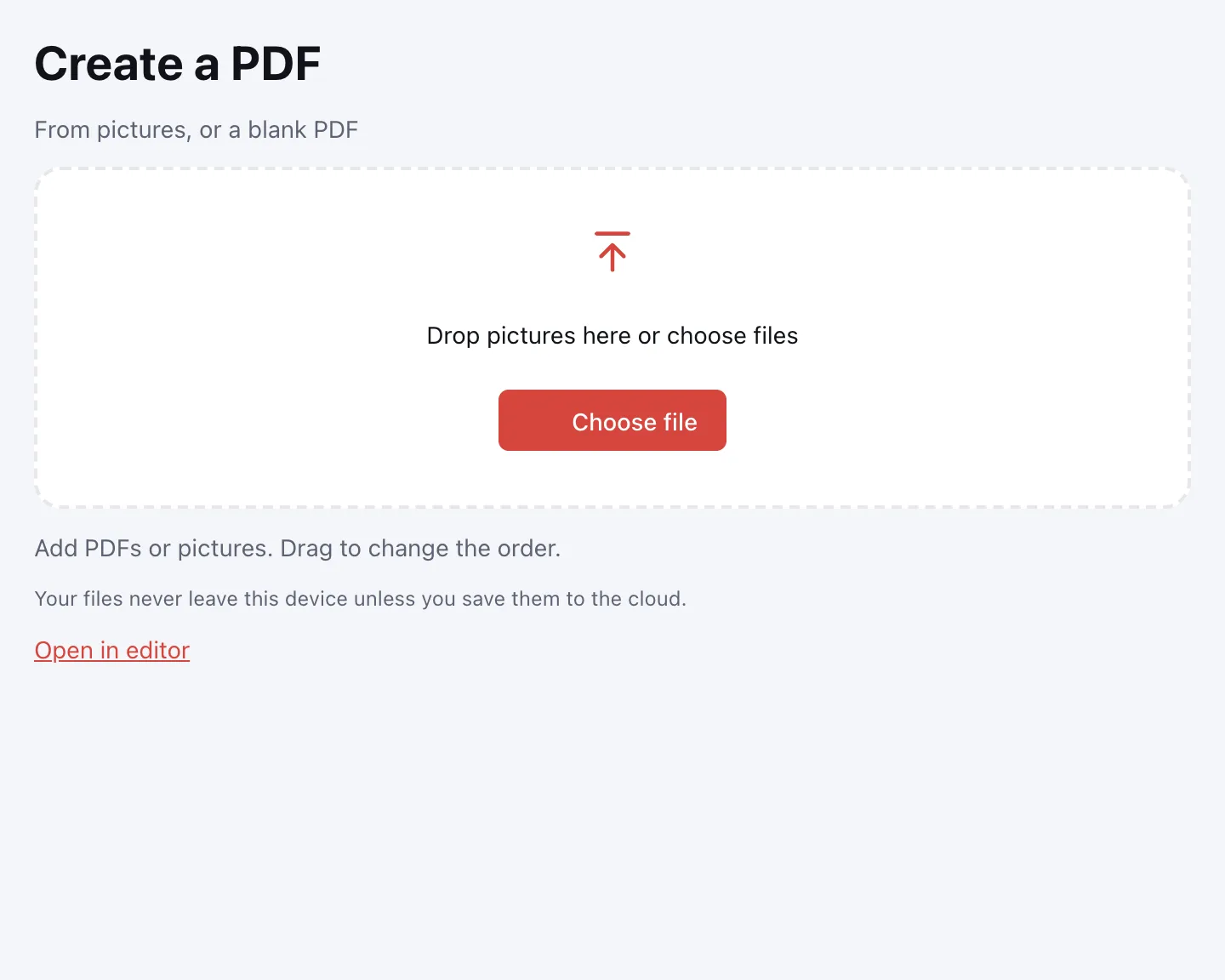
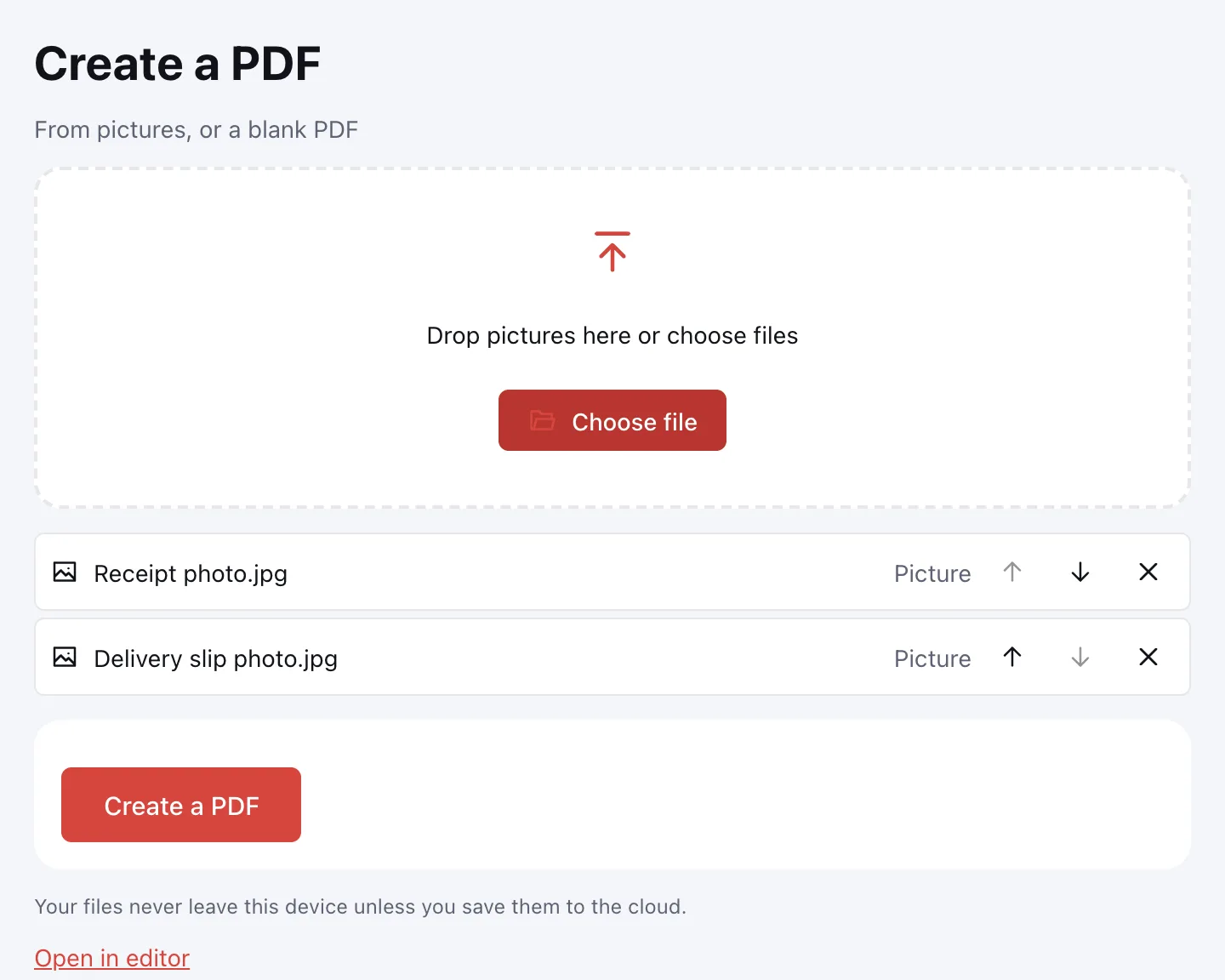
Put the pages in order
Drag a picture or use “Move up” and “Move down”. “Remove” takes out an image you do not need.
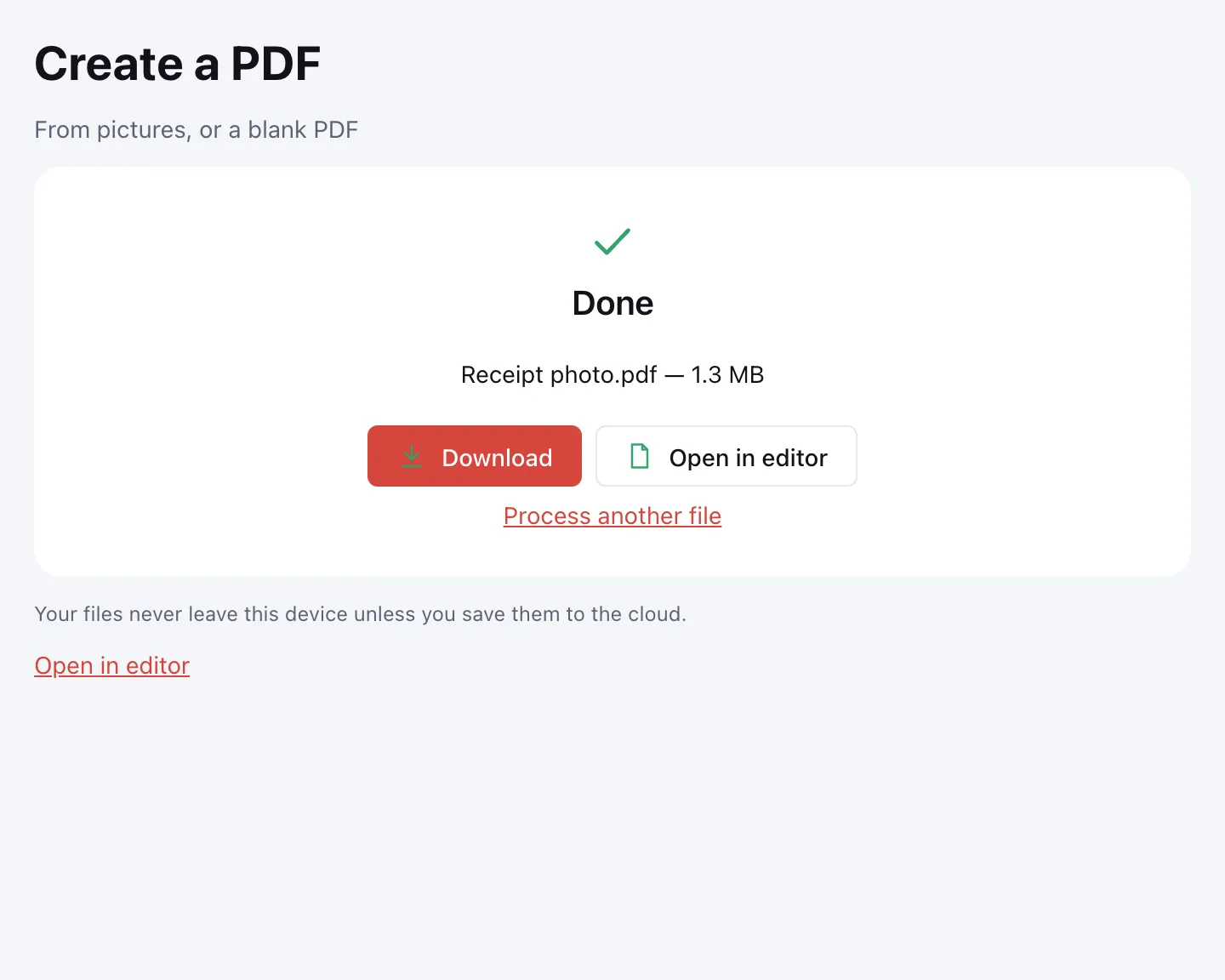
Click “Create a PDF”
Download the document, save it to the cloud, or open it in the editor to add a signature or page numbers.
What the tool does
Each picture becomes its own page in a standard size — US Letter or A4, depending on the paper used in your region. The image is fitted inside a small margin and never stretched, so proportions are kept. Orientation is chosen per picture: a portrait photo gets a portrait page, a wide screenshot gets a landscape one.
Rotation recorded by a phone camera (EXIF) is honoured. JPEG is embedded as it is, with no recompression, PNG stays lossless, and transparent areas show as white.
When you need it
- Job applications: put a photo ID, a utility bill and a signed offer into one upload.
- College applications: combine photographed transcripts and certificates into a single file.
- Tax season: send photographed receipts to your accountant as one document.
- E-filing portals: attach several pages without scanning each one separately.
Image to PDF: one file, many pages
Image to PDF conversion here means one PDF with a page for every picture. You can mix JPG and PNG in the same list, and the order in the list is the order of the pages. To add pictures to an existing PDF, use Merge PDF instead.
| Image | Page in the PDF | Tip |
|---|---|---|
| Phone photo of a document | Portrait Letter or A4 page with margins | Crop the background first |
| Wide screenshot | Landscape page | Good for spreadsheets and diagrams |
| PNG scan | Lossless page | Compress the PDF if it gets large |
| HEIC or WebP image | Not accepted | Export it as JPG first |
JPG to PDF quality
Quality is preserved because JPEG pictures are placed into the PDF without a second round of compression, and PNG stays lossless. The picture is never stretched to fill the page; it is fitted with a margin, so a small photo keeps its proportions. Transparent parts of a PNG become white. If the result is heavy, compress the PDF.
JPG to PDF on Windows and phones
There is nothing to install: the converter runs in the browser on Windows, macOS, Android and iPhone. On a phone, pick pictures from the gallery, reorder them with “Move up” and “Move down”, then save the PDF back to Files or Downloads.
Limitations
Only JPG, JPEG and PNG are accepted. HEIC photos from an iPhone and WebP images must be saved as JPG first. Each picture can be up to 20 MB and the document up to 1,000 pages. The pages contain images, not searchable text — run OCR if you need to find or copy words.
Is it safe?
Pictures are processed in your browser on your own device and never uploaded, which matters for IDs, receipts and medical paperwork. The result reaches Zotu cloud only if you click “Save to cloud”; saved files are kept in the EU/US under GDPR. You can also turn the PDF back into images with PDF to JPG.
FAQ
Support: [email protected]
How do I convert JPG to PDF?
Click the drop area or choose files, add your JPG pictures and put them in order with “Move up” and “Move down”. Then click “Create a PDF” and download the result. Each picture becomes its own page, and the images are processed on your device.
How do I convert photos to PDF?
Add the photos to the drop area, arrange them in the order you want, and click “Create a PDF”. Every photo becomes a Letter or A4 page with a margin, turned to match the picture. You can mix JPG and PNG in the same document and remove any photo before creating it.
How do I convert PNG to PDF?
PNG works exactly like JPG here: add the file to the list, set its position and click “Create a PDF”. PNG stays lossless in the result, and transparent areas show as white on the page. You can combine PNG and JPG pictures in one document.
How do I convert an image to PDF?
Drop the image into the tool, check the order of the pages and click “Create a PDF”. The image is fitted onto a Letter or A4 page with a small margin and is never stretched. The PDF downloads straight to your device or can be saved to the cloud.
Can you convert JPG to PDF without losing quality?
Yes. JPEG pictures are embedded without recompression and PNG stays lossless, so the page shows the same image quality you started with. The picture is also never stretched: it keeps its proportions inside the page margin. Compress the PDF afterwards only if the file is too large.
How do I convert JPG to PDF on iPhone?
Open the page in your iPhone browser, tap the drop area and pick pictures from Photos. Reorder them with “Move up” and “Move down”, then tap “Create a PDF” and save the file to Files. If a photo is HEIC, export it as JPG first, since only JPG and PNG are accepted.
How do I convert JPG to PDF on Windows?
There is nothing to install: open this page in your browser on Windows, add the JPG files and click “Create a PDF”. The document is built locally on your PC, then downloads to your usual folder. The same page works on macOS, Android and iPhone.
Is it free? Is there a watermark?
It is free, with no sign-up and no watermark. Nothing is added to your pages — no logo and no extra sheet, just your pictures in the order you set. The limits are on the files: each picture up to 20 MB and the document up to 1,000 pages.
Is it safe to upload documents?
Nothing is uploaded: the PDF is built in your browser on your own device. Photos of IDs, receipts and medical papers stay with you. The result reaches cloud storage only if you click “Save to cloud”, and saved files are kept in the EU/US under GDPR.
More PDF tools
PDF to JPG
Save PDF pages as JPG or PNG images at the resolution you need.
PDF to Word
Turn a PDF into an editable DOCX with headings, lists, tables and images.
PDF to Excel
Turn tables from a PDF into an XLSX workbook with numbers, amounts and dates as values.
PDF to PPT
Turn PDF pages into PPTX slides with editable text, pictures and tables.
PDF to text
Get the text out of a PDF as TXT, HTML or RTF in the right reading order.
OCR PDF
Add an invisible text layer to a scanned PDF so search, selection and copying work.
PDF to PDF/A
Check a document and save it as PDF/A-1b or PDF/A-2b for long-term archiving.
Merge PDF
Combine several PDFs and images into one file, in the order you choose.
Convert JPG to PDF into one document
Combine JPG and PNG pictures into one PDF, in the order you choose.
Open editor