Compress PDF and reduce file size
Your résumé is over the job portal's limit, or the visa form won't accept a 30 MB scan? Compress the PDF here: images inside are resampled to a sensible resolution, while text and lines stay perfectly crisp.
- Files stay on your device
- No sign-up
- No watermark
- Up to 100 MB
- Works with
- .jpg
- .png
- .docx
- .xlsx
How to compress a PDF
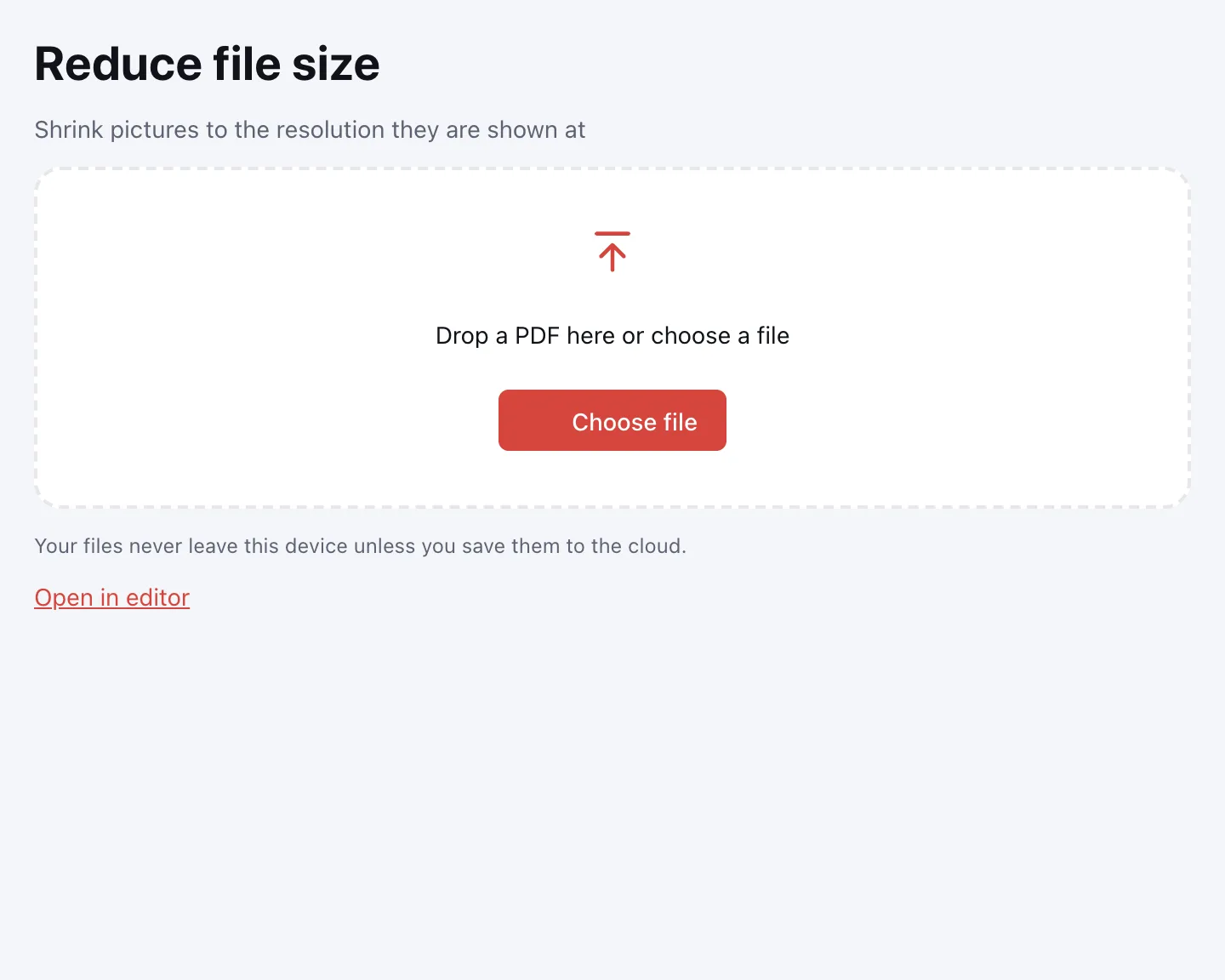
Choose your file
Click “Choose file” or drag the PDF onto the box. It opens in your browser, so there's no upload to wait for.
Pick the picture quality
Select “High quality (220 dpi)”, “Balanced (150 dpi)” or “Smallest file (100 dpi)”. Not sure? Balanced is the right call for most uploads.
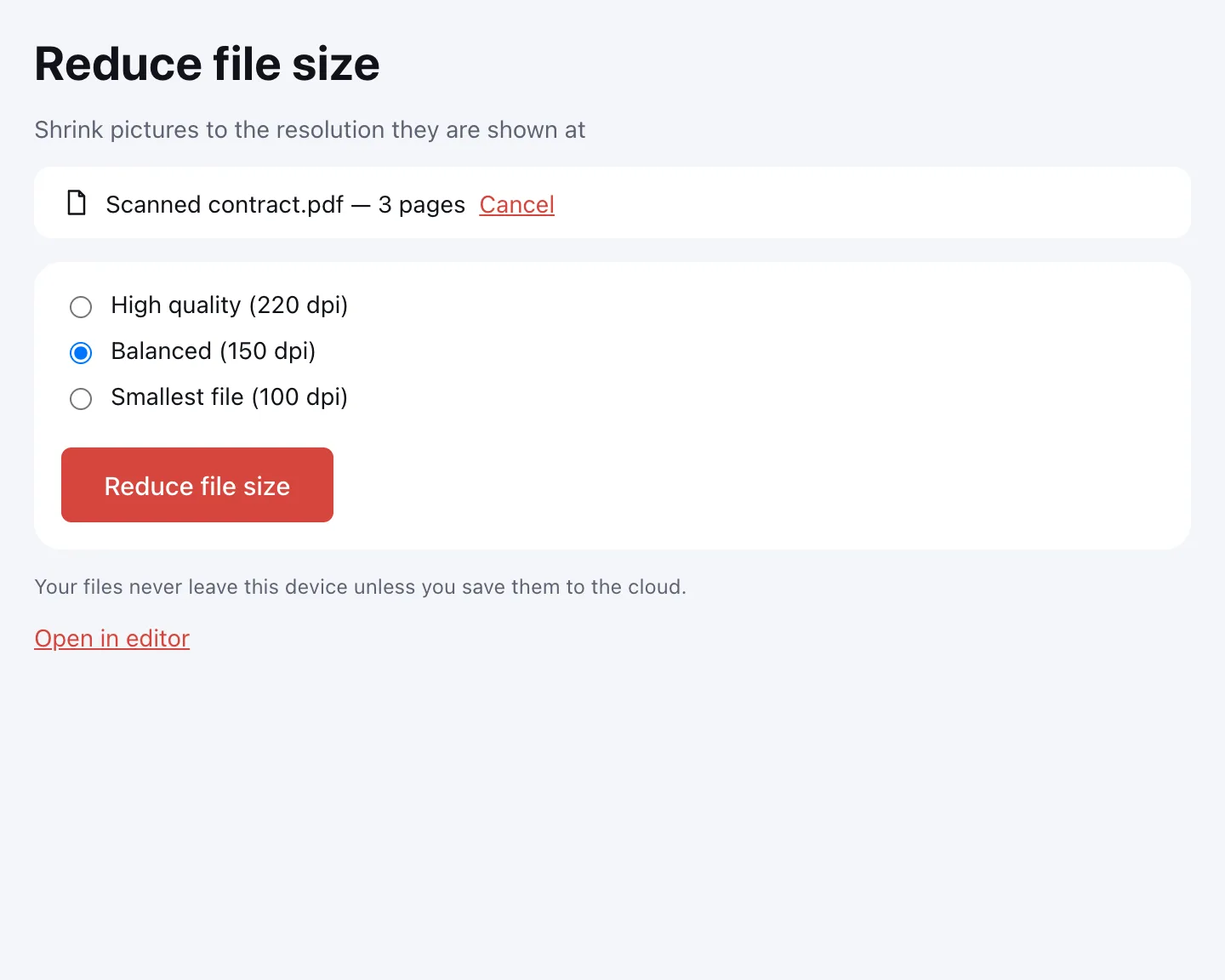
Click “Reduce file size”
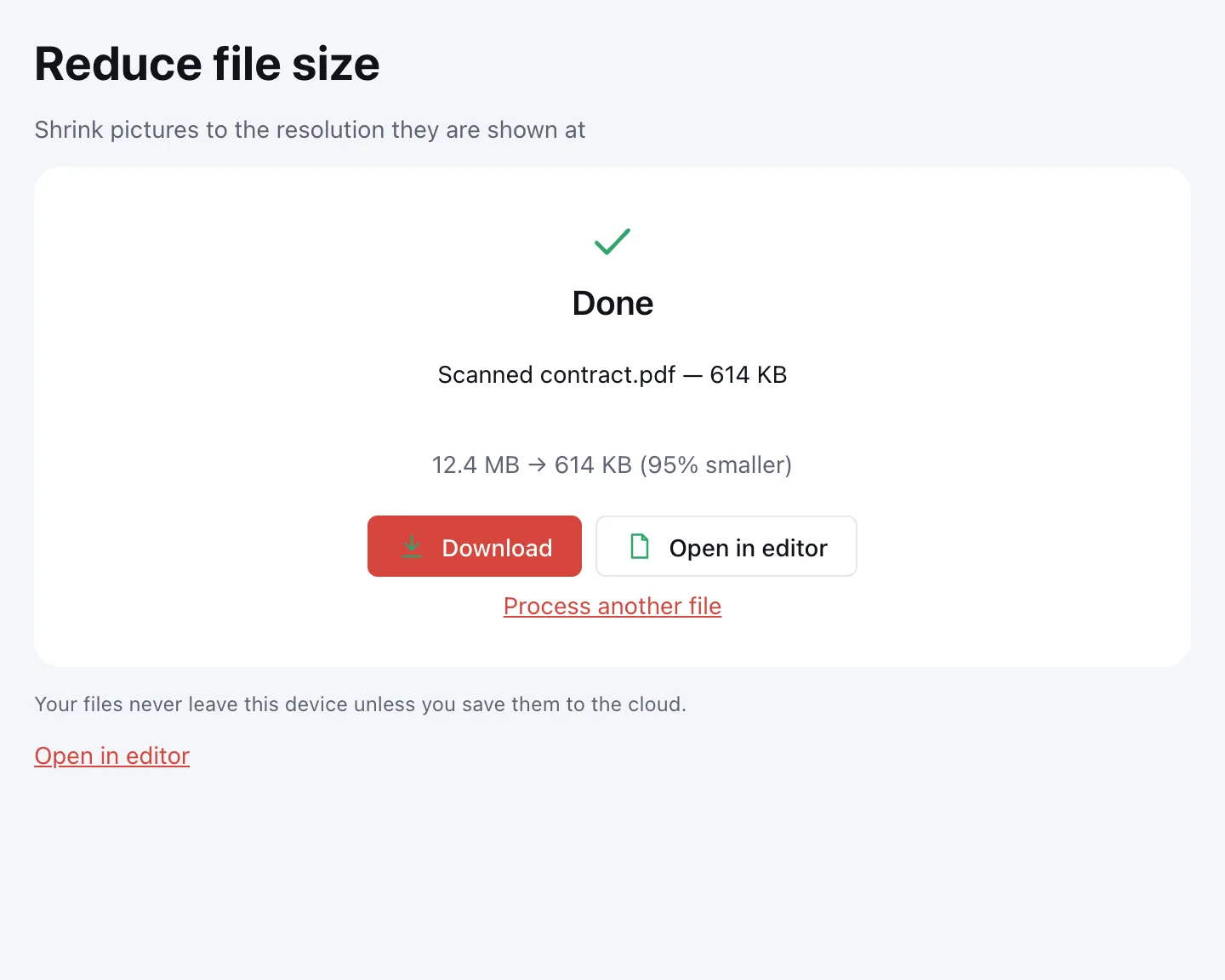
You'll see the before and after size and how much smaller the file got. Then choose “Download”, “Save to cloud” or “Open in editor”.
Choose a compression level
| Level | Image resolution | Best for | Quality |
|---|---|---|---|
| High quality | 220 dpi | Printing, drawings with fine detail | Hard to tell apart from the original |
| Balanced | 150 dpi | E-mail and upload portals — the default | Scans read well on screen and on paper |
| Smallest file | 100 dpi | Messaging, strict upload limits, on-screen reading | Very small print in scans gets softer |
What gets smaller — and what stays the same
What we compress
Images are downsampled to the resolution they're displayed at and re-saved as JPEG, with transparency kept. Uncompressed data streams are packed, and page thumbnails and leftovers from earlier edits are removed.
What stays untouched
Text, vector graphics and form fields aren't touched, so text stays selectable and searchable. If there's nothing to gain, you'll see “This PDF is already compact” and the file is left as it was.
How to reduce a PDF to 100 KB, 500 KB or 1 MB
There's no target-size field: how small a file gets depends on how many images it holds. In practice, try Balanced first, then Smallest file if the result is still over the limit.
Still too big? Split the PDF into parts or delete pages you don't need. And if you scan documents yourself, use 150–200 dpi rather than 600 — the file starts out several times smaller.
Compress without losing quality
Text and vector drawings lose nothing at all, because compression leaves them alone. Only photos are re-encoded, and at 220 dpi the difference is hard to see. To check, zoom into the same spot before and after. In one of our runs, a three-page scan went from 12.4 MB to 614 KB with the text still sharp.
Flattening a form, by the way, barely changes the size — if you need that for other reasons, use Flatten PDF.
Is it safe to compress PDFs online?
Yes — the file is processed in your browser on your own device and never uploaded. It only goes to Zotu cloud if you click “Save to cloud” after signing in, and saved files are kept in the EU/US under GDPR. Once it's smaller, you can merge it with other files or turn more scans into a PDF.
Compress a PDF on Mac, Windows, iPhone or Android
The compressor runs in any modern browser, so there's nothing to install on a laptop, desktop, tablet or phone. On a phone, pick the PDF from the Files app or Downloads and share the smaller file straight from the browser.
FAQ
Support: [email protected]
How do I make a PDF smaller?
Drop the PDF onto this page, pick a picture quality and click “Reduce file size”. Balanced suits most uploads and e-mail; Smallest file squeezes harder. The tool shows the new size and the percentage saved before you download.
How can I compress a PDF without losing quality?
Choose High quality (220 dpi). Text, lines and form fields aren't changed at all, and photos are re-saved with differences that are hard to spot. Zoom into the same spot before and after to check.
How do I reduce a PDF to a specific size, like 1 MB or 200 KB?
You can't type a target size, but two passes usually do it: Balanced, then Smallest file. If it's still over the limit, split the document into parts or delete pages you don't need.
Why didn't my PDF get smaller?
It has few images, or they're already compressed — then you'll see “This PDF is already compact” and the file stays as it was. Black-and-white scans stored as one-bit images also barely shrink, since they're stored very efficiently already.
Is it free? Is there a watermark?
It's free, with no sign-up and no watermark. There's no cap on the number of files, only on the size of each one: up to 100 MB and 1,000 pages. An account is needed only for cloud storage.
Is it safe to compress confidential documents?
Yes, because the document never leaves your device: compression runs in your browser and nothing is uploaded. Closing the tab leaves no copy anywhere else. It only reaches the cloud if you save it there yourself.
What is the maximum file size?
Up to 100 MB and 1,000 pages per PDF. That's plenty for large scans. A heavy file takes longer on a phone than on a laptop, but the result is the same.
Can I compress a password-protected PDF?
Yes, if you know the password: you'll be asked for it when the file opens, and the opened copy is compressed. The result is saved without a password, so protect it again if you need to.
Does flattening a PDF make it smaller?
Hardly. Flattening turns form fields and comments into regular page content, which barely changes the file size — the images are what make most PDFs heavy. To make a PDF noticeably smaller, compress its images here; flatten only when you want the fields locked.
More PDF tools
Merge PDF
Combine several PDFs and images into one file, in the order you choose.
Split PDF
Split a PDF into single pages or fixed-size parts and download them as one ZIP.
Delete PDF pages
Remove the pages you don’t need and save a new PDF with everything else intact.
JPG to PDF
Combine JPG and PNG pictures into one PDF, in the order you choose.
Flatten PDF
Turn form fields and comments into part of the page so they can't be changed.
Organize PDF
Reorder PDF pages by dragging thumbnails, rotate, delete or insert pages.
Rotate PDF
Turn PDF pages 90° or 180° — the whole document or just the pages you pick.
Compress PDF and reduce file size
Make a PDF smaller for e-mail or an upload form, with three quality levels.
Open editor