Convert PDF to Word into an editable DOCX
Convert PDF to Word when a contract arrives in a fixed layout and you need to change two clauses. Add the file, choose the pages if you only need some, and click “PDF to document”: you get an editable DOCX while the original stays on your device.
- Files stay on your device
- No sign-up
- No watermark
- Up to 100 MB
- Works with
- .jpg
- .png
- .docx
- .xlsx
How to convert a PDF to Word
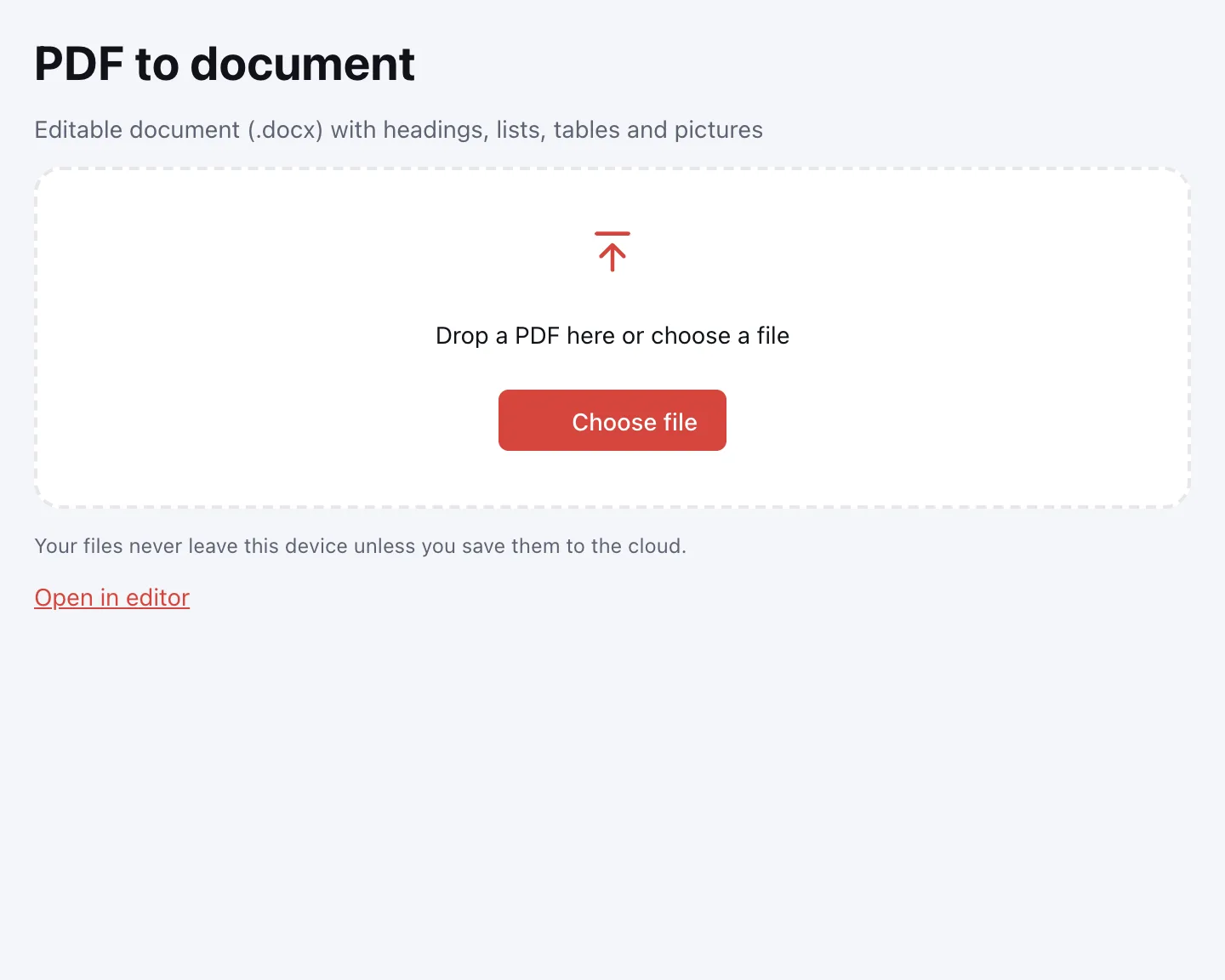
Choose your file
Click “Choose file” or drop the PDF onto the page. It opens locally, so there is no upload to wait for.
Pick the pages
Leave the page field empty to convert the whole document, or type a range such as “1-3, 7” to convert only those pages.
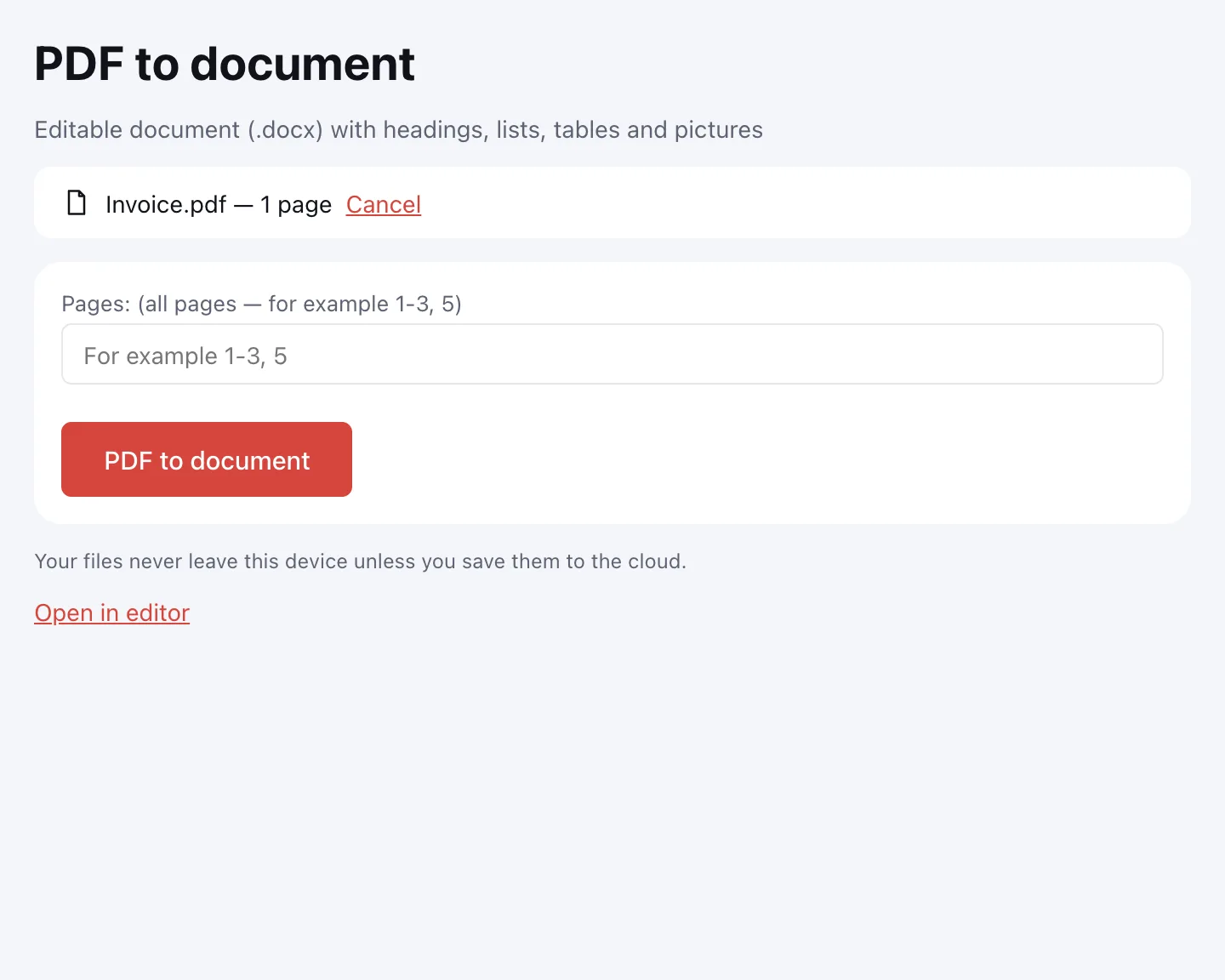
Click “PDF to document”
The converter rebuilds the reading order and writes a DOCX. Progress is shown on screen, and a long conversion can be cancelled.
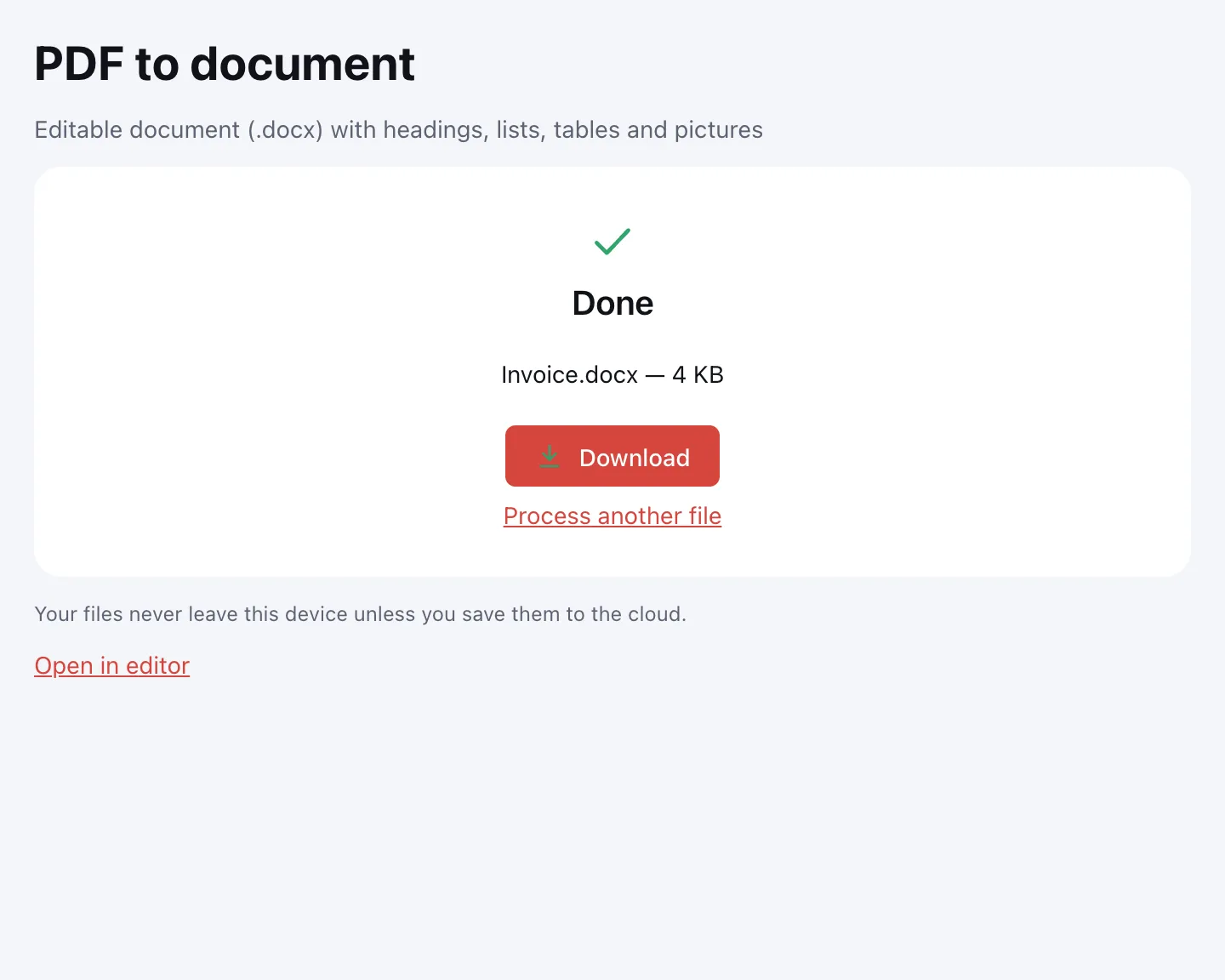
Download the DOCX
Click “Download” and open the file in your usual word processor — on a computer, tablet or phone. The original PDF is not changed.
What the converter does
A PDF stores lines and glyphs with coordinates, not paragraphs. The converter first rebuilds the reading order: it detects columns, joins lines into paragraphs, undoes end-of-line hyphenation and separates running headers and footers from the body.
- Headings become Heading 1–3 styles, based on size and weight, so your editor can build a table of contents.
- Numbered and bulleted lists become real lists.
- Ruled tables keep merged cells; tables without lines are rebuilt from aligned columns.
- Images stay in place, and repeating headers and footers become real header and footer areas.
- Page size, margins, columns, bold, italic and font size are kept.
When you need it
- Job applications: update an old résumé that exists only as a PDF.
- College applications: turn a transcript or reference letter into a document you can edit.
- Tax season: reuse the text of an engagement letter or a summary from your accountant.
- E-filing: reuse text from a portal receipt or a long report without retyping it.
PDF to DOCX: text you can edit
The result is a DOCX document, not an image of a page: paragraphs, headings, lists and tables are real document structures, so you can edit the text, restyle it and reuse it. The original PDF is not changed, and the conversion runs on your device.
Scanned PDFs and OCR
A scanned page is a picture, so there is no text layer to move into the document. Run OCR first, then convert the result: the recognised text ends up in the DOCX. The page image is included too, and you can delete it.
Other formats
Need a spreadsheet or plain text instead? The same file can go through another converter, and this page leaves the original untouched.
| Format | What you get | Tool |
|---|---|---|
| DOCX | Editable document with paragraphs, headings and tables | This page |
| XLSX | Spreadsheets with numbers and dates as values | PDF to XLSX |
| PPTX | Slides with editable text | PDF to PPTX |
| TXT, HTML, RTF | Plain text in reading order | PDF to text |
Limitations
Complex layouts with text wrapped around images come across as close as possible, so check the result and fix it by hand. A scan without OCR contains only page images. A PDF can be up to 100 MB and 1,000 pages; password-protected files open if you know the password.
Is it safe?
Conversion runs in your browser on your own device and nothing is uploaded. Contracts, tax forms and personal documents stay with you. The DOCX downloads straight to your device and is never sent to a server.
On phone and desktop
The converter works in any modern browser on Windows, macOS, Android and iPhone, with nothing to install. On a phone, pick the PDF from Files or Downloads and open the DOCX in a mobile document editor.
FAQ
Support: [email protected]
How do I convert a PDF to Word?
Open this page, click “Choose file” and add your PDF. Pick the pages if you need only some, then click “PDF to document” and download the DOCX. The converter rebuilds paragraphs, headings, lists and tables, and the original PDF stays on your device.
How do I convert a PDF to DOCX?
Use the page field to choose all pages or a range such as “1-3, 7”, then click “PDF to document”. You get a DOCX file with real paragraphs and tables rather than a picture of each page. It opens in any mainstream document editor on desktop or mobile.
How do I extract text from a PDF to Word?
The converter moves the text into a DOCX, where you can edit and reuse it. For a small passage, you can also open the PDF in the editor and copy the text. For a scanned PDF there is no text layer, so run OCR first and then convert the result.
How do I copy scanned PDF text to Word?
Run OCR on the scan first, then convert the file. OCR adds a text layer to the pages, and the converter writes that text into the DOCX. The page image is included as well, and you can delete it once the text looks right.
How do I convert a PDF to Word on a Mac?
Open this page in any browser on macOS, click “Choose file” and select the PDF. Choose the pages, click “PDF to document” and download the DOCX. No software needs to be installed, and the file is processed on your Mac rather than uploaded.
How do I convert a scanned PDF to Word?
A scan contains only pictures of pages, so run OCR first. Then convert the file: the recognised text goes into the DOCX. Check numbers, dates and amounts carefully, since OCR mistakes are most costly there, and delete the page image if you do not need it.
Is it free? Is there a watermark?
It is free, with no sign-up and no watermark. Nothing is added to your DOCX — only the content of your PDF. The limits are on the file itself: up to 100 MB and 1,000 pages, with no cap on the number of conversions.
Is it safe to upload documents?
Nothing is uploaded: the conversion happens in your browser on your own device. Contracts, tax forms and personal documents stay with you. The DOCX downloads straight to your device, and no copy is kept anywhere else.
Can I convert only some pages?
Yes. Type the pages in the field before converting, for example “2-5, 9”, and only those pages go into the DOCX. Leave the field empty to convert the whole document. This is handy for a long report where you need just one chapter.
More PDF tools
JPG to PDF
Combine JPG and PNG pictures into one PDF, in the order you choose.
PDF to JPG
Save PDF pages as JPG or PNG images at the resolution you need.
PDF to Excel
Turn tables from a PDF into an XLSX workbook with numbers, amounts and dates as values.
PDF to PPT
Turn PDF pages into PPTX slides with editable text, pictures and tables.
PDF to text
Get the text out of a PDF as TXT, HTML or RTF in the right reading order.
OCR PDF
Add an invisible text layer to a scanned PDF so search, selection and copying work.
PDF to PDF/A
Check a document and save it as PDF/A-1b or PDF/A-2b for long-term archiving.
PDF Editor
Change text and pictures on the page, add a signature, comments and fill in forms.
Convert PDF to Word into an editable DOCX
Turn a PDF into an editable DOCX with headings, lists, tables and images.
Open editor