Free online PDF tools: compress, merge, convert and edit
Do everything with PDF online: 25 single-purpose tools plus a full editor, all running in your browser. Your files are processed on your own device and never uploaded.
- Free
- No sign-up
- Files stay on your device
- Works on any device
- Works with
- .jpg
- .png
- .docx
- .xlsx
All PDF tools
Every page does one job and opens its tool right there. When a document needs several changes, switch to the online PDF editor.
Compress PDF
Make a PDF smaller for e-mail or an upload form, with three quality levels.
Merge PDF
Combine several PDFs and images into one file, in the order you choose.
Split PDF
Split a PDF into single pages or equal parts in your browser and download them as one ZIP.
Rotate PDF
Rotate PDF pages 90° clockwise or counterclockwise, or 180°, for the whole file or selected pages.
Delete PDF pages
Delete pages from a PDF online: list the pages you don't need and download the document without them.
Extract PDF pages
Extract pages from a PDF online: pick pages or ranges and save them as a new PDF, in the order you list them.
Organize PDF pages
Rearrange, rotate, delete and insert PDF pages by dragging thumbnails.
Crop PDF
Crop PDF margins with a box or exact measurements, on all or selected pages.
JPG to PDF
Convert JPG to PDF online: photos, scans and PNG screenshots become pages of one PDF in the order you choose.
PDF to JPG
Convert PDF to JPG online: save each page as a JPG or PNG image at 72, 144 or 300 dpi.
PDF to Word (DOCX)
Convert PDF to Word (DOCX) online with paragraphs, headings, lists, tables and images in place.
PDF to Excel (XLSX)
Convert PDF to Excel (XLSX) online: tables land in cells, and amounts, percentages and dates become real numbers you can sum and sort.
PDF to presentation (PPTX)
Turn a PDF into a PPTX presentation: one slide per page, editable text.
PDF to text
Get the text out of a PDF as TXT, HTML or RTF in the right reading order.
OCR PDF
OCR PDF online: turn a scanned PDF into a searchable document you can select and copy text from, while the pages look exactly the same.
PDF to PDF/A
Check a document and save it as PDF/A-1b or PDF/A-2b for long-term archiving.
Edit PDF
Edit PDF files online: change text right on the page, replace images, add text, comments and shapes.
Sign PDF
Sign a PDF online: draw your signature, type it in a handwriting font or upload an image, then place it on the page.
Fill PDF form
Fill in PDF form fields in your browser — text, check boxes, lists — and download the result.
Add a watermark to PDF
Put a text or image watermark on PDF pages: opacity, angle, position.
Add page numbers to PDF
Number PDF pages: position, “Page 1 of 10” format, skip the first page.
Flatten PDF
Turn form fields and comments into part of the page so they can't be changed.
Password Protect PDF
Password protect a PDF online with AES-256 encryption so only people with the password can open it.
Unlock PDF
Remove the password and restrictions from a PDF when you know it.
Redact PDF
Black out and remove personal data from a PDF: phone numbers, SSNs, emails, card numbers.
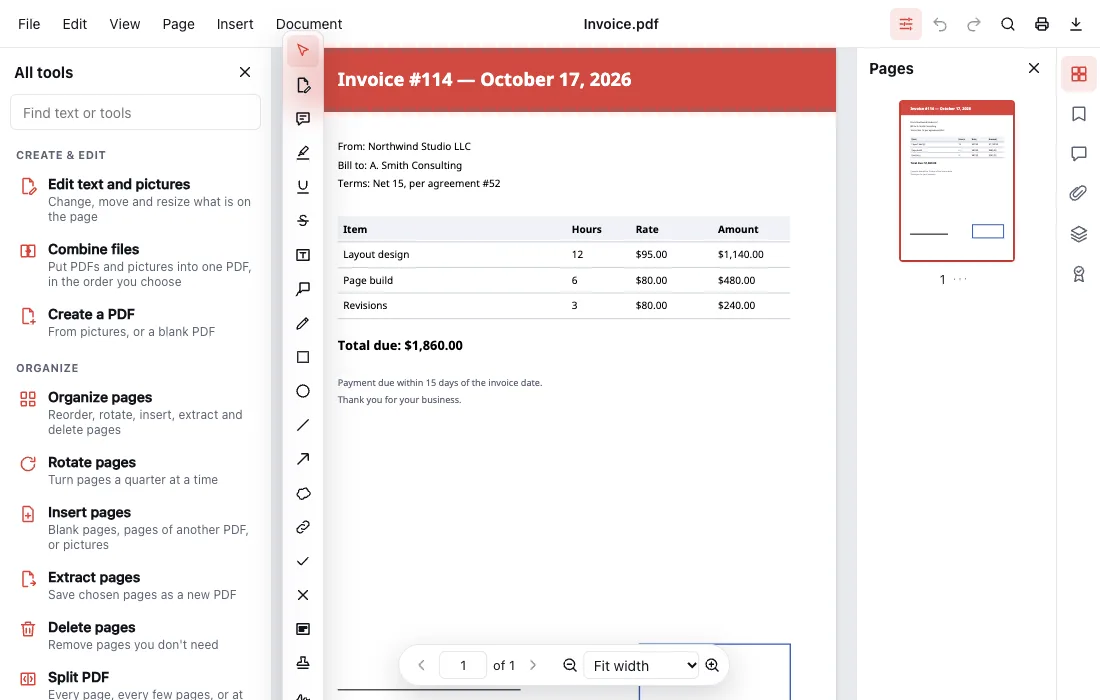
How it works
Pick a tool
Find the task — compress, merge, convert, sign — and open its page. The tool is already there, ready for your file.
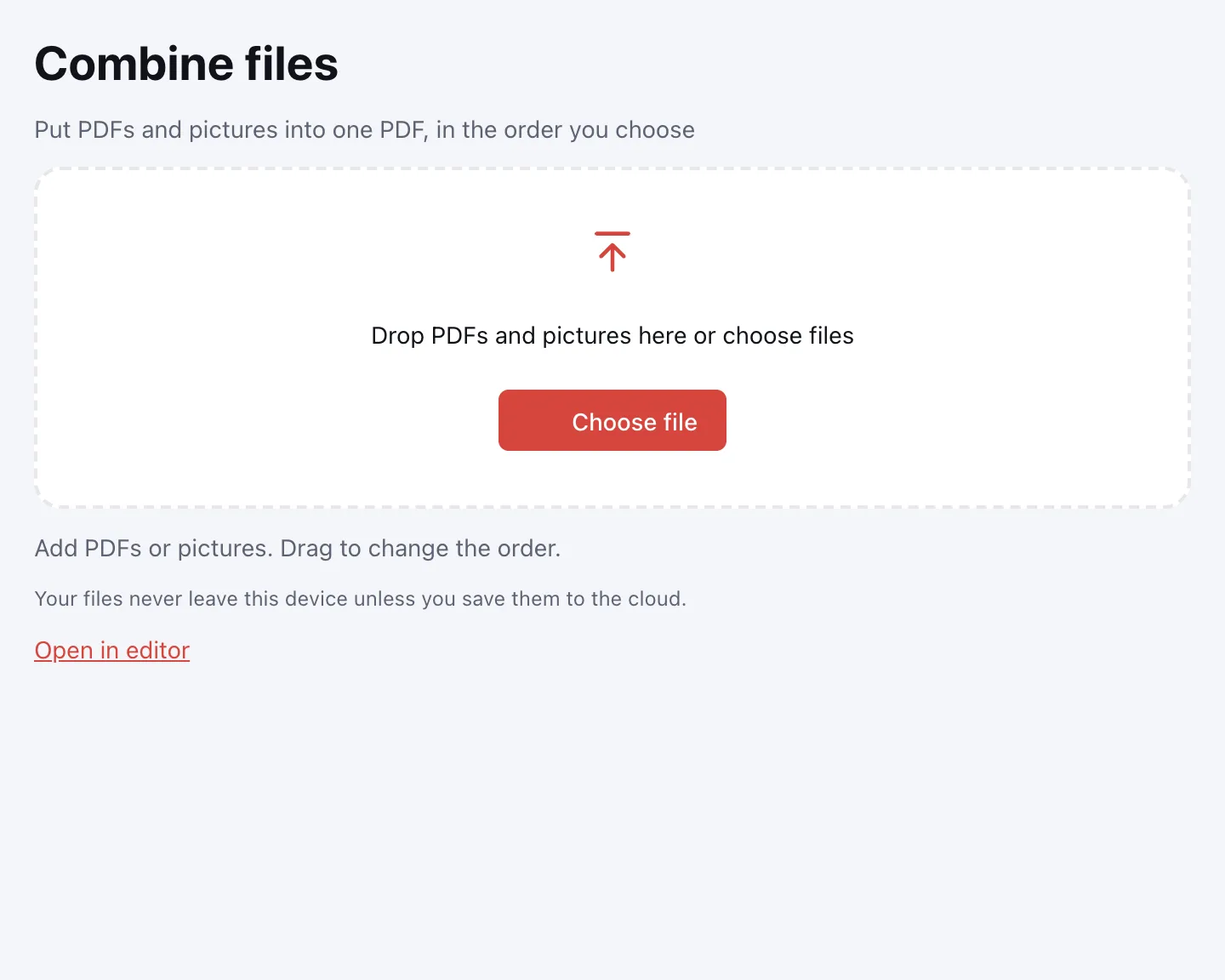
Drop in your file
Drag the PDF onto the box or click “Choose file”. It opens in your browser instead of uploading, so even a large scan is ready in a moment.
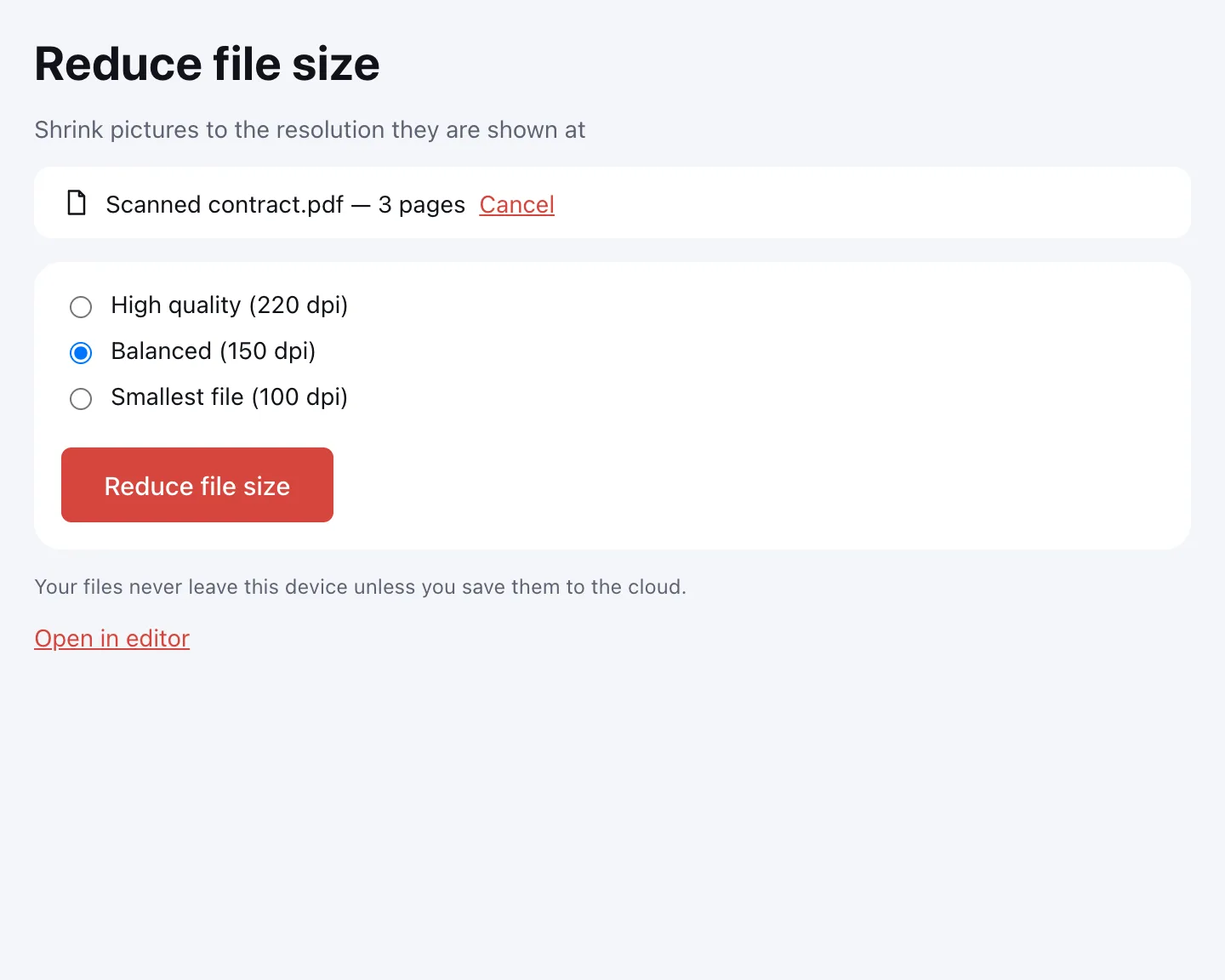
Download the result
Seconds later, click “Download”, “Save to cloud”, or “Open in editor” to keep working on the same file.
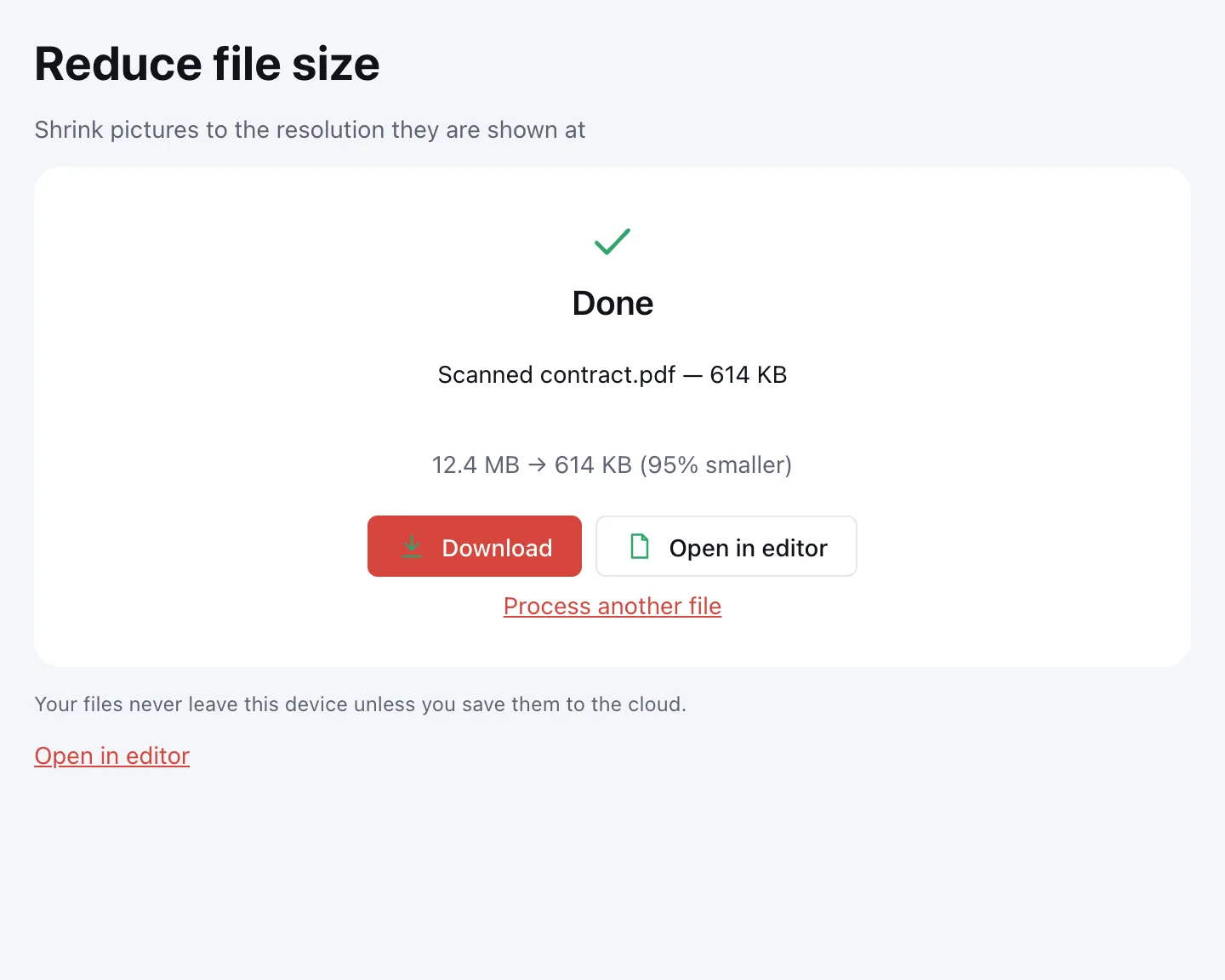
PDF converter: to and from Word, Excel and JPG
Turn a PDF into something you can edit: PDF to Word gives you a DOCX with real paragraphs and tables, PDF to Excel an XLSX with numbers and dates as values, and PDF to JPG an image of every page. Going the other way, JPG to PDF turns photos and scans into one document.
Scanned pages need one extra step: make the scan searchable first, and its text can then be searched, copied and converted.
Why use these PDF tools
On-device processing
Your PDF is opened and processed on your computer or phone, not on a server. IDs, tax forms and contracts never travel over the internet.
No sign-up, no watermark
Every tool works right away with no account, no trial and no paid tier — and nothing is stamped on your pages.
Up to 100 MB and 1,000 pages
Enough for thick scans and long reports. A large file simply takes a little longer on an older phone.
A full editor
Edit text and images, add comments, build and fill forms, sign with a certificate, run OCR, compare versions and save as PDF/A.
GDPR-minded storage
Cloud storage is optional and needs an account. Documents you choose to save are kept in the EU/US under GDPR.
Edit PDFs online
Single tools do one thing at a time. When you need to fix a typo, swap a logo, add a signature and reorder pages, edit the PDF in the full editor instead — everything is in one window and every step can be undone.
It reads the page the way any viewer does, then lets you pick paragraphs, images and drawings as separate objects — so a fix in a contract or a résumé doesn't mean rebuilding the layout from scratch.
PDF online on your phone
The tools run in mobile browsers on iPhone and Android, with no app to install and no storage space to free up first. Pick a file from Downloads, Photos or a cloud drive and save the result back there — handy for shrinking a scan before an upload deadline or when you need to merge PDF files for an application on the go.
FAQ
Support: [email protected]
Are these PDF tools really free?
Yes. Every tool and the editor are free, with no trial period, no paid tier and no watermark. The only limits are on document size — up to 100 MB and 1,000 pages — and those apply to everyone the same way.
Do I need to create an account?
No. You can compress, merge, convert or sign a PDF right away. An account is only needed for cloud storage, so you can save a document and open it later or on another device.
Are my files uploaded to a server?
No. Each file is opened and processed in your browser, on your own device. It only reaches a server if you click “Save to cloud” after signing in, so tax documents, IDs and contracts stay with you.
What is the maximum file size?
One PDF can be up to 100 MB and 1,000 pages, and a picture you turn into a PDF up to 20 MB. That covers large scans and long reports; on an older phone a big file just takes a bit longer.
How do I edit a PDF online?
Open the document in the editor and choose “Edit text and pictures”. Double-click text to change it on the page, replace an image, or add new text anywhere, then download the file.
How do I convert a PDF to Word?
Open the PDF to Word page, pick your file and click “PDF to document”. You get a DOCX with paragraphs, headings, lists and tables. For a scanned PDF, run OCR first; otherwise the document only contains page images.
How do I turn photos into a PDF?
On the JPG to PDF page, add your JPG or PNG photos, put them in order and click “Create a PDF”. Each photo becomes a Letter or A4 page with a margin, oriented to match the picture, with no loss of quality.
Can I use it on iPhone or Android?
Yes, in any up-to-date mobile browser. Pick files from Downloads, Photos or the Files app, process them and save the result. For detailed text editing, a laptop or tablet is more comfortable.
Where are my files stored if I save them to the cloud?
In your Zotu cloud library, stored in the EU/US under GDPR. Unless you sign in and click “Save to cloud”, a document is never sent anywhere and stays only on your device.
Online PDF tools vs. desktop software — what's the difference?
There's nothing to install or update, and the tools work on any device with a browser. Your files still stay with you, because the processing happens on your device rather than on a server.
Open a PDF and get going
Nothing to install, no account to create. Your file stays on your device unless you choose to save it to the cloud.
Open editor