PDF to text: extract the words in reading order
Use PDF to text when a quote or a whole article has to move into another document and retyping the page is not an option. Add the file, choose the pages if you need only some, and click “PDF to text”: you get a TXT in reading order, and the PDF stays on your device.
- Files stay on your device
- No sign-up
- No watermark
- Up to 100 MB
- Works with
- .jpg
- .png
- .docx
- .xlsx
How to convert a PDF to text
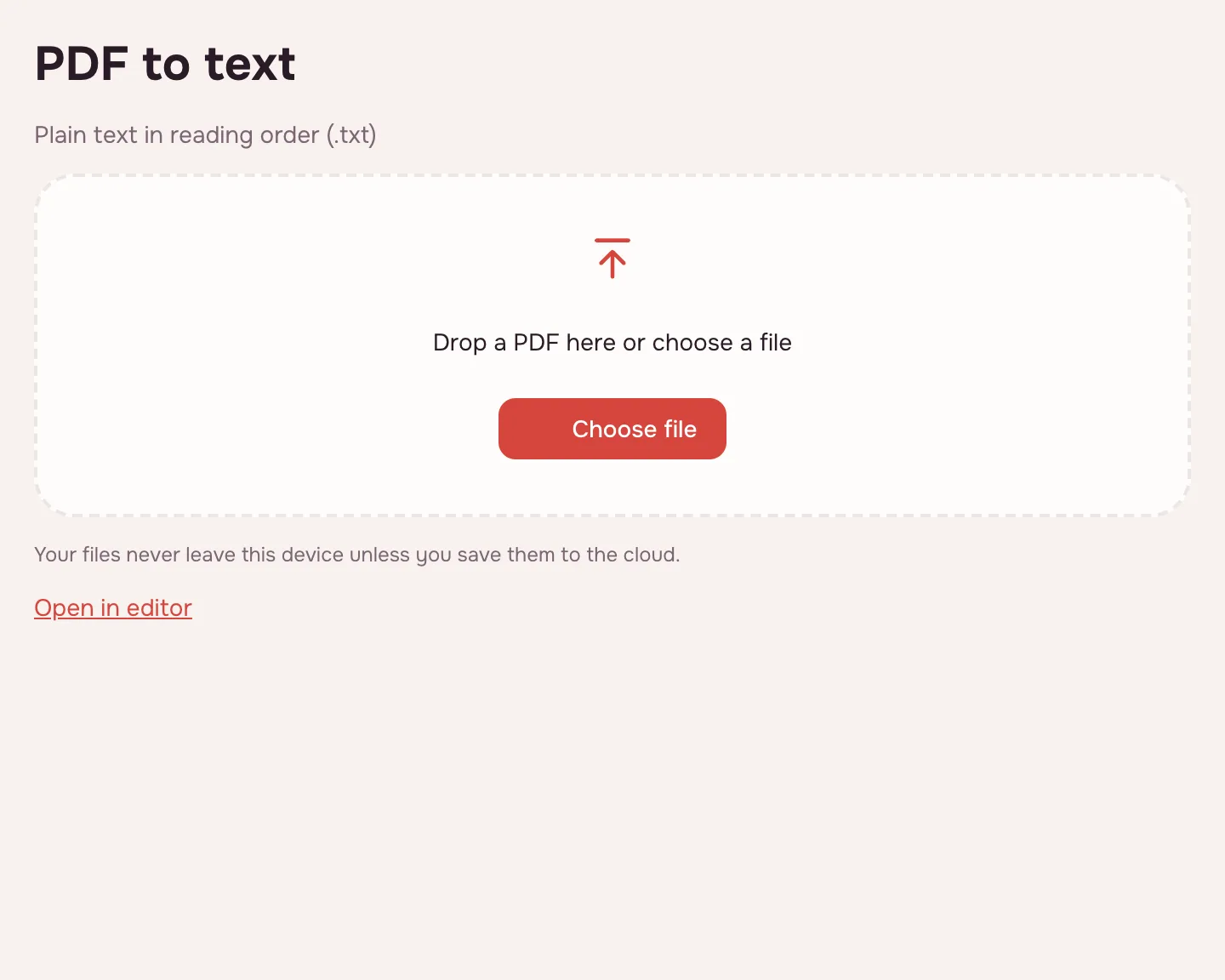
Choose your file
Click “Choose file” or drop the PDF onto the page. It opens locally, so there is no upload to wait for.
Pick the pages
Leave the page field empty for the whole document, or type a range such as “3-7” to take only those pages.
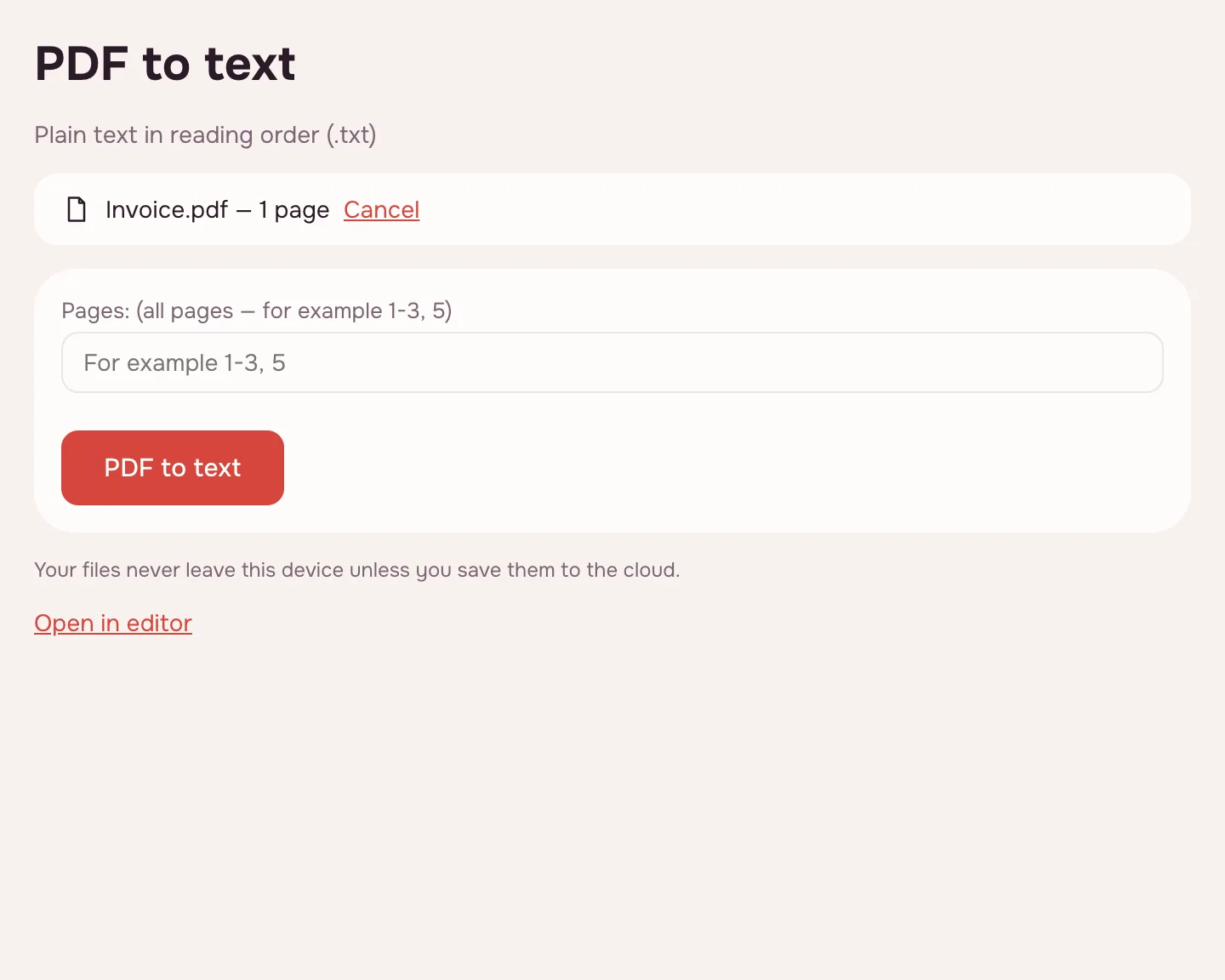
Click “PDF to text”
The words are collected in reading order: columns run one after another, running headers are kept apart, and hyphenated words are joined. Pages stay separated.
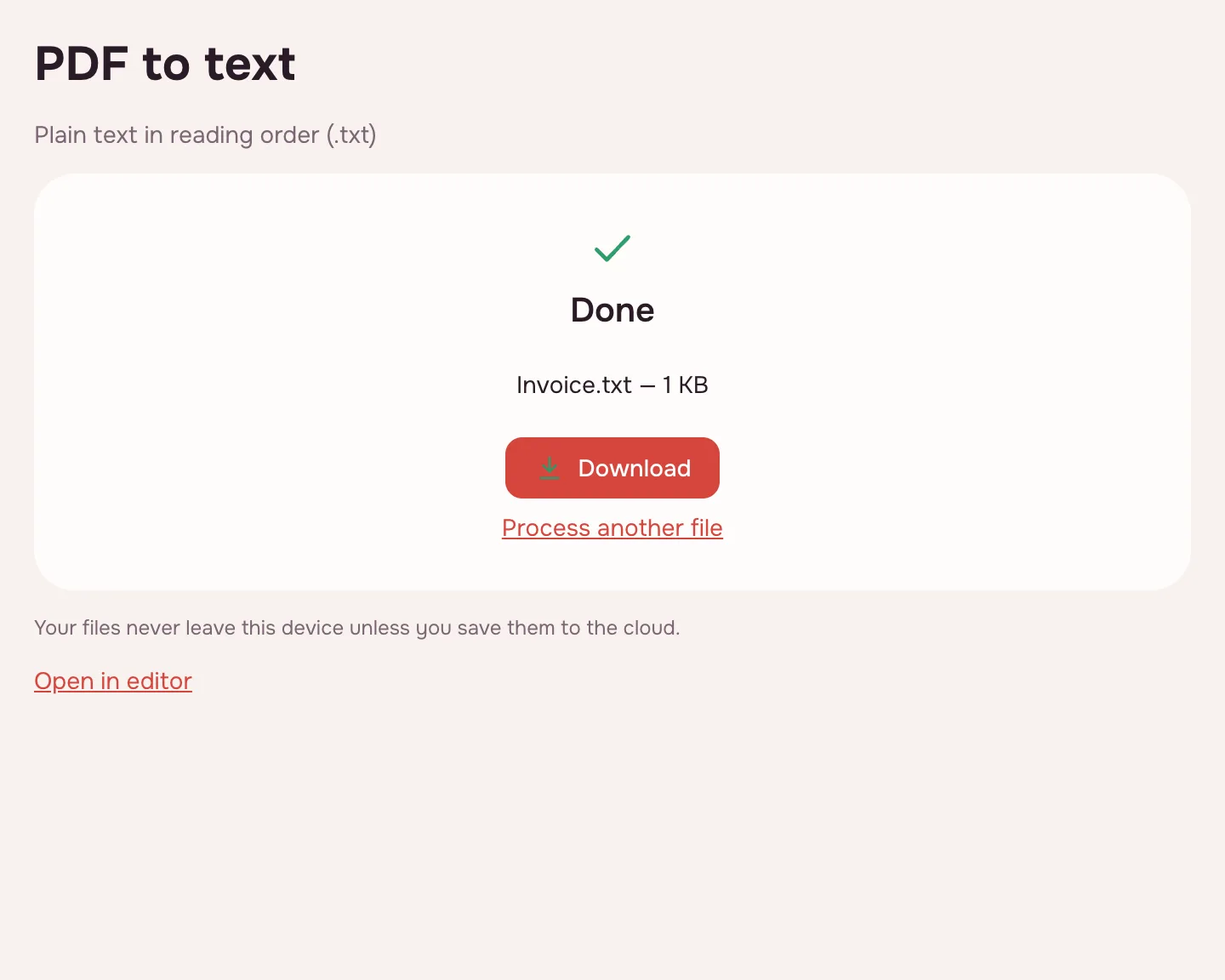
Download the TXT
Click “Download” and the file lands on your device. Open it in a text editor, a notes app or the program you are moving the text into.
What the PDF to text converter does
The converter reads the text layer and writes it into one TXT file. In a multi-column layout the words run column by column, running headers are kept apart, and words hyphenated at the end of a line are joined. Each page starts on a new block, so page breaks stay visible.
PDF to TXT: plain words, one file
PDF to TXT is the shortest route when you need the words and nothing else. The file opens in any text editor or notes app, and the text can be pasted into a ticket, a spreadsheet cell or a translation tool. Tables arrive as lines of text, and pictures are left out.
Extract text from a PDF without retyping
Extraction beats retyping when the document is long or the wording must stay exact. Copying by hand also invites silent changes, such as a dropped “not” or a wrong figure. Take the text in one pass, then check names, numbers and dates against the page. If you need an editable document, use PDF to DOCX instead.
PDF to text editor: TXT, RTF or HTML
The tool produces TXT. When the result has to keep headings, tables or pictures, open the PDF in the editor and use its export. The table shows which route gives what.
| Format | Where to choose it | What you get |
|---|---|---|
| TXT | This tool | Plain text in reading order, with a break between pages |
| Web page (.html) | Editor → Export | Headings, tables and the pictures embedded |
| Rich text (.rtf) | Editor → Export | Text with basic formatting for a word processor |
When you need PDF to text
- Job search: move the wording of a reference letter into an application.
- College: quote a paragraph from a reading list without retyping it.
- Translation: hand the text to a translator as a clean TXT file.
Scanned PDFs: run OCR first
A scan is a picture of a page with no text layer, so the extraction returns an empty file. Run OCR on the PDF first: it adds an invisible text layer, and the same extraction then returns searchable words. Check names and figures afterwards, because a faint scan can be misread.
Limitations
The tool returns plain text only: formatting, tables as tables, pictures and links are not carried over, and scans need OCR first. A file can be up to 100 MB and 1,000 pages. A password-protected PDF opens once you enter the password, and the text is saved without protection.
Is it safe?
The extraction runs in your browser on your own device, so the PDF is not uploaded. Contracts, statements and personal papers stay with you, and the TXT downloads straight to your device. Files kept in the cloud are stored in the EU/US under GDPR.
On phone and desktop
The converter works in any modern browser on Windows, macOS, Android and iPhone — nothing to install. On a phone, pick the PDF from Files or Downloads and open the TXT in a notes app. A long document takes longer, but the result is the same.
FAQ
Support: [email protected]
How do I convert a PDF to text?
Click “Choose file”, add the PDF and leave the page field empty for the whole document, or type a range such as “3-7”. Click “PDF to text” and download the TXT. The words arrive in reading order, and each page is separated by a break.
How do I extract text from a PDF?
Open the file here and run the converter: it reads the text layer and writes the words into a TXT file you can copy from. This is faster and safer than retyping. If the PDF is a scan, run OCR first, because there is no text layer to read.
Can you convert a PDF to TXT?
Yes. The result is a plain TXT file with the text in reading order and a break between pages. Tables come out as lines of text, and pictures are not included. For headings, tables and images, export RTF or HTML from the editor.
How do I scan a PDF for text?
A scanner produces a picture, not text, so scan the pages and then run OCR on the PDF. Recognition adds an invisible text layer, and the text can then be extracted, searched and copied. Check names and figures afterwards, because a faint scan may be misread.
Can you send a PDF via text message?
A PDF is a file, and a text message carries only short text, so it cannot hold the document itself. Send the file by email or a link, or extract the passage here and paste it into the message.
Is it free? Is there a watermark?
It is free, with no sign-up and no watermark. Nothing is added to the TXT — no logo, no extra lines, only the words of your document. The limits are on the file: up to 100 MB and 1,000 pages, with no cap on conversions.
Is it safe to upload documents?
Nothing is uploaded: the extraction happens in your browser on your own device. Contracts, statements and personal papers stay with you. The TXT downloads straight to your device, and no copy is kept elsewhere unless you save it.
More PDF tools
JPG to PDF
Combine JPG and PNG pictures into one PDF, in the order you choose.
PDF to JPG
Save PDF pages as JPG or PNG images at the resolution you need.
PDF to Word
Turn a PDF into an editable DOCX with headings, lists, tables and images.
PDF to Excel
Turn tables from a PDF into an XLSX workbook with numbers, amounts and dates as values.
PDF to PPT
Turn PDF pages into PPTX slides with editable text, pictures and tables.
OCR PDF
Add an invisible text layer to a scanned PDF so search, selection and copying work.
PDF to PDF/A
Save an archival PDF/A-2b copy with embedded fonts and an sRGB profile.
Extract PDF pages
Save the pages you choose as a new PDF, in the order you list them.
PDF to text: extract the words in reading order
Extract all the text from a PDF into a TXT file in reading order, without retyping.
Open editor